If you purchased a Surface Pro 9, then you might have figured out by now that just having two USB-C ports onboard might not be enough for you. For connections to printers, monitors, and other accessories, you will need a dongle or a dock. That’s why we’re here to help with our favorite docking stations for the Surface Pro 9 below.
The good news is that just like with other Surface PCs and Windows tablets, there are a ton of great docks for the Surface Pro 9. The docks range from official ones from Microsoft to third-party ones from Razer, Anker, and more. They also come with various ports, whether you need something for all of your accessories or just need an extra USB-A port. Check out our favorite docking stations for the Surface Pro 9 below!
The Surface Dock 2 has been Microsoft's standard dock for Surface devices for years, so it'll work well with your Surface Pro 9. It uses the Surface Connect port, and adds USB Type-A and Type-C ports, Ethernet, and display outputs via USB Type-C.
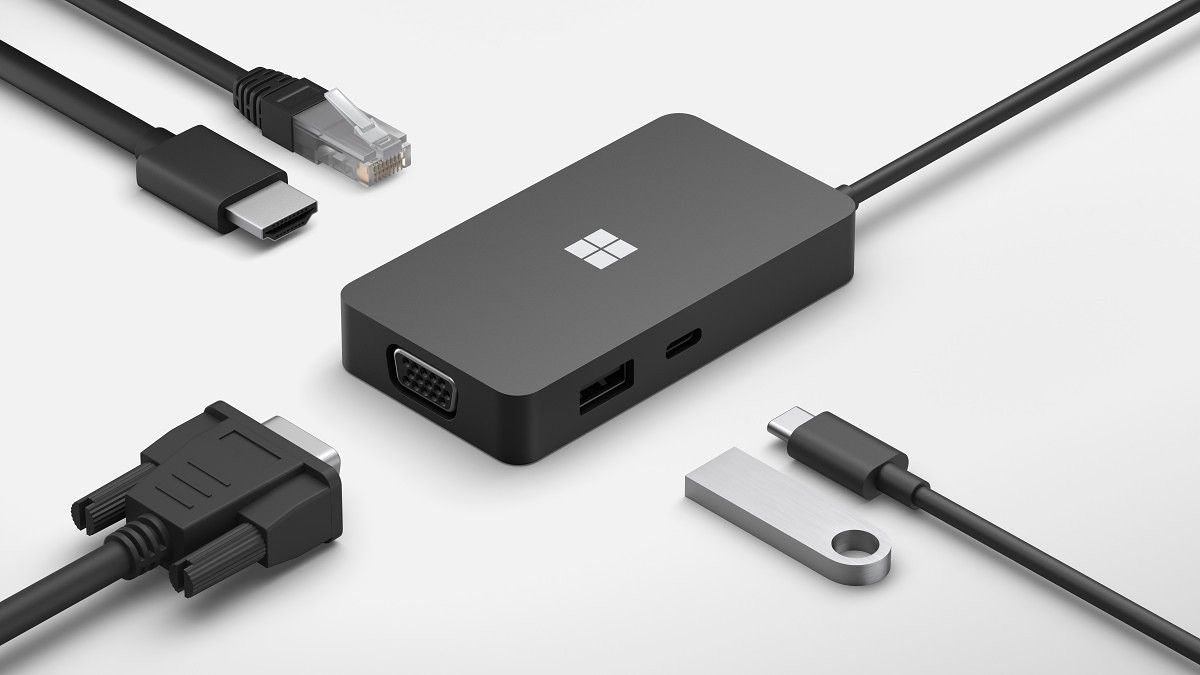
If you want to take more ports with you on the road, the Microsoft USB-C Travel Hub gives you a couple of USB ports, HDMI, VGA, and Ethernet connections wherever you need them.
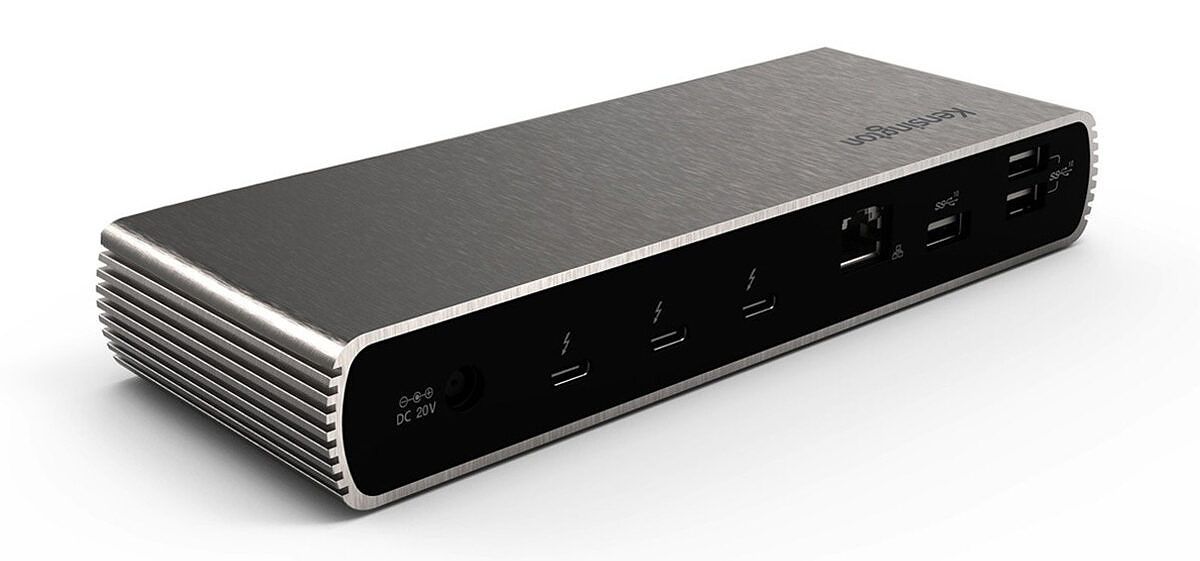
This Kensington Thunderbolt dock adds USB ports, an SD card reader, Ethernet, and Thunderbolt daisy chaining. It also delivers 90W of power to your laptop regardless of what you connect to it.
To save even more money if you don't need Thunderbolt, this USB dock from Plugable is a great alternative. It adds six USB ports, Ethernet, and display outputs at a reasonable price.
If you want a great all-around dock with a wide range of ports and a premium design, the Anker 777 is probably one of your best options. It comes in a sturdy-looking all-metal shell and has numerous ports, including two HDMI ports, USB Type-A, Ethernet, and downstream Thunderbolt.
The Brydge Stone II USB-C Universal Docking Station is one of the sleekest docking stations you can get for the Surface Pro 9. It's not super expensive and has plenty of ports, including Ethernet and USB Type-A, for connections to your other accessories.
If you want a very compact dock and you mostly rely on Thunderbolt-based peripherals, the CalDigit Element Hub may be for you. It only has a few ports, but with three Thunderbolt downstream connections and four USB Type-A ports, it's still very capable.
It's not for everyone, but the Dell Dual Charge Dock is an interesting product that gives you more ports for your laptop, charges it, and also has a wireless charging pad for your phone. It's pretty expensive, but you get a few extra ports and a very unique feature set to boot.
That’s it for the best docks for the Surface Pro 9. We suggest buying the Surface Dock 2, as it’s the best dock you can get from Microsoft. And because it comes directly from Microsoft, you know that it’ll work. Of course, you can buy any of the other docks on our list, too, especially if you want to use them with other devices or need more specific ports.
Announced way back at CES this year, Lenovo’s ThinkPad Z-series is a modern take on a ThinkPad, a brand that’s known for hanging onto legacy components and, frankly, being a little stale. The Lenovo ThinkPad Z16 is larger than the ThinkPad Z13, and now that I’ve reviewed them both, I actually think the former is the better product.
This is a great business laptop. It’s got a 16-inch 16:10 display, an excellent 1.35mm keyboard, and solid build quality.
What I liked most of all are the steps Lenovo took to make this more modern and make it stand out amongst other Lenovo laptops. For example, there are no buttons above the touchpad on the ThinkPad Z16. Instead, there’s a larger haptic touchpad, and thanks to the nature of a haptic touchpad, you can use the top portions as buttons for use with the TrackPoint if you want. Alternatively, they can be used as an extension of the touchpad. There are some minor things as well. For example, the Ctrl button is to the left of the Fn key, which is normal for any laptop, but not typical for a ThinkPad.
The only real downside is that AMD Ryzen mobile processor performance suffers when it’s not connected to power. But the main reason that I like the ThinkPad Z16 better than the Z13 is that in real-world usage, I didn’t find that to be as problematic.
The Lenovo ThinkPad Z16 launched in late 2022, and it currently starts at $1,654.50
While Lenovo actually announced its brand-new ThinkPad Z-series at CES in January 2022, AMD actually didn’t start shipping Ryzen 6000 until later in the year, well after Intel started shipping its mobile 12th-gen chips. Nevertheless, the Lenovo ThinkPad Z16 is available now, starting at $1,654.50 on Lenovo.com. Of course, Lenovo’s prices on its website fluctuate.
The model that the company sent me for review costs $2,196.95 from a variety of third-party retailers like B&H and CDW. It includes an AMD Ryzen 7 PRO 6850H, integrated graphics, unlike the units on Lenovo.com, an FHD+ display, 16GB LPDDR5, and a 512GB SSD.
Lenovo ThinkPad Z16 specs
Processor
AMD Ryzen 7 PRO 6850H Processor (3.20 GHz, up to 4.70 GHz Max Boost, 8 Cores, 16 Threads, 16 MB Cache)
Graphics
Integrated AMD Radeon 600M Series
Body
15.8mm x 355mm x 238mm / .63 x 13.95 x 9.35 inches, Starting at 1.95kg / 4.3 pounds
Up to 20.5 hours (MM18), 72Wh
Supports Rapid Charge (up to 80% in 60 minutes) with 135W adapter
Ports
2 x USB-C 4
USB-C 3.2 Gen 2
Full-sized SD card slot
Headphone / mic combo
Input
Backlight
Spill-resistant
Glass haptic TouchPad with integrated navigation buttons: 120mm / 4.72 inches wide
Dual-purpose TrackPoint: navigate like a mouse or double-tap to open Communication Quick Menu
Connectivity
WiFi 6E 802.11AX (2 x 2)
Bluetooth 5.1 or above
Audio
Dolby Atmos Speaker System
Dolby Atmos headphone
2 x mics with Dolby Voice
2 x 2W User-facing speakers
Security
Chip-level AMD Memory Guard
Microsoft Pluton chip-to-cloud technology
Discrete Trusted Platform Module (dTPM)
Match-on-chip (MoC) fingerprint reader
Facial recognition with IR camera
Camera e-shutter (kill switch) F9 control key
Kensington Nano Security Slot
Material
Recycled Aluminum
Color
Arctic Grey
OS
Windows 11 Pro
Price
$2,196.95
Design: A modern take on a ThinkPad
The Lenovo ThinkPad Z16 is made out of aluminum, and it comes in Arctic Grey
It has three USB Type-A ports and a full-size SD card slot
Unlike the smaller ThinkPad Z13, the Lenovo ThinkPad Z16 only comes in one color. It’s called Arctic Grey, but you might know it by its street name: silver. Indeed, it’s a pretty standard matte silver lid, but it has polished edges that give it a nice look.
It also has a tab at the top, which we’re seeing in several of Lenovo’s newly-designed ThinkPads. It makes it easier to open the laptop, and it also adds a bit of style. While this device is all-silver with a brushed metal look on that tab, you’ll find that on models like the ThinkPad Z13, it can give it a two-tone look. I like this for the ThinkPad brand, which has a reputation for being dull regarding its design.
There aren’t many ports on this laptop, which is a bit surprising for a 16-inch laptop. Of course, one of this product’s key principles involves making the ThinkPad more modern, and being modern means no USB Type-A.
USB 4 means AMD laptops don't need Thunderbolt.
In fact, all three USB ports are USB Type-C. Two of them are USB 4, and another one is USB 3.2 Gen 2. Unfortunately, none of those ports are actually labeled, so if you buy this laptop and you really need the extra bandwidth provided by USB 4, you just have to guess which ones have what you need. The good news is that there’s a two-thirds chance you’ll get it right.
AMD laptops don’t come with Thunderbolt since that’s a proprietary Intel thing that would cost money to include, but USB 4 is here. We don’t have to look at the lack of Thunderbolt as a disadvantage for AMD anymore. USB 4 is similar to Thunderbolt 3 in that it can support 20Gbps or 40Gbps speeds, so you’re not missing out.
There’s also a full-size SD card slot, which is a rarity in today’s day and age and is much appreciated. It’s a simple thing to point out, and if this paragraph sounds dumb to you, that’s fine. You probably don’t need an SD card slot, but people who use digital cameras do. It makes the ThinkPad Z16 that much better of a machine for creators.
Ultimately, I love the design. Like the ThinkPad Z13, it’s a modern take on a ThinkPad, designed from the ground up to use AMD’s new Ryzen processors. Being the 16-inch version, it’s simply not as mainstream as the 13-inch one, so the ThinkPad Z16 only comes in one color —the most mainstream one. I always find silver laptops a bit dull, but it’s still the most popular laptop color on the market, kind of like a black smartphone.
Display: FHD with an option for 4K OLED
The 16-inch display comes in either 1920 x 1200 or 3840 x 2400
The webcam is 1080p
As you’d expect, there’s a 16-inch 16:10 display, and while Lenovo sent me the 1920 x 1200 one, it’s actually quite nice. This one is matte, and it’s good at blocking glare from direct sunlight. The one I’m reviewing is non-touch, but there’s a touch FHD+ option as well.
However, if you want the prettiest screen, there’s a 4K OLED option. As I said above, the SD card slot means that this is a great laptop for creators that edit photos and videos. If that sounds like you, it’s worth looking at 4K OLED. Frankly, I don’t feel like 1920 x 1200 is a high enough resolution for a screen of this size.
Other than some pixelation, the screen is pretty solid. Being 16:10, that also means that it’s about 11% taller than older 16:9 displays, so you actually get a much bigger screen than 15.6-inch 16:9 laptops that were common a couple of years ago.
According to my testing, this display supports 100% sRGB, 73% NTSC, 78% Adobe RGB, and 78% P3. Those scores are decidedly average, but as I said, if you want the best, you go OLED.
Brightness came in at 350.3 nits, which is lower than promised, but I had no problem using it in direct sunlight. The contrast ratio was good at 1,590:1.
The webcam is FHD, as it should be. In the age of working from home, a quality webcam is critical, so it’s nice to see Lenovo focusing on that. There’s also a built-in privacy guard, which can be accessed through the keyboard.
When you hit the button to block the camera, there’s an icon that displays on the screen that indicates that the camera won’t work. There’s no physical indicator on the camera itself, but if you try to use it, you’ll get a warning that it’s blocked.
Keyboard: It’s the best on a ThinkPad
The Ctrl key is in the right place!
The Lenovo ThinkPad Z16 has a 1.35mm keyboard
Being a large laptop, the keyboard deck is nice and spacious. It’s all black, like you’d expect from a ThinkPad, and it gives the laptop itself a nice two-tone design with its silver exterior. Also, the keys have 1.35mm depth, which is the proper depth for ThinkPad keys. You’ll only find it on ThinkPads that were designed in recent years, such as the ThinkPad X1 Nano, ThinkPad X1 Titanium Yoga, ThinkPad X13s, and ThinkPad Z13, and it’s just great. Other ThinkPads are 1.5mm or even deeper. In other words, the keyboard is nice and comfortable to use.
The 1.35mm keyboard is the sweet spot for ThinkPads.
It’s accurate too. There’s no double typing here. Of course, it has a TrackPoint in the middle of the keyboard, and that’s the one thing about the ThinkPad Z16 that’s not modernized. But look, the Ctrl button is even in the right place. Most ThinkPads put the Fn key all the way to the left, unlike every other laptop on the market, forcing new customers to build new muscle memory.
The keyboard is flanked by 2W speakers, which sound fairly powerful. With the speaker and microphone quality, the ThinkPad Z16 is great for meetings, but as we’ll talk more about in the performance section, you do have to be connected to power.
The touchpad is all-new for the ThinkPad Z-series, and it’s a big part of modernizing what makes a ThinkPad a ThinkPad. Thanks to the haptic touchpad, there’s no need for buttons above it. Previously, those buttons needed to be there for use with the TrackPoint. But now, that space can be used as buttons or as an extension of the touchpad. It’s the best of both worlds, and it’s an innovative solution to balance the onboarding of new customers with ThinkPad loyalists that use legacy functionality like the TrackPoint.
Performance: AMD Ryzen is great… when it’s plugged in
The Lenovo ThinkPad Z16 uses AMD Ryzen 6000 PRO H-series processors
There’s an option for dedicated graphics
AMD’s laptop processors still struggle when not connected to power
The ThinkPad Z-series is designed around AMD Ryzen 6000 processors, so unlike many AMD laptops, there’s no Intel flavor. While the Z13 uses 15W U-series processors, the ThinkPad Z16 uses 45W H-series processors. This machine is available with dedicated graphics, but Lenovo sent one with integrated graphics, which work pretty well.
You’ll see below that benchmarks between the ThinkPad Z13 and Z16 are almost identical, but I experienced some big differences. The Z16 definitely feels more powerful, and it doesn’t seem to slow down as quickly. Some OEMs have also been pushing out laptops with Intel’s 45W H-series processors and integrated graphics, and I’m here to say that the ThinkPad Z16 is better than those.
As you can see, the scores aren’t all that different between the 45W processor in the ThinkPad Z16 and the 15W processor in the Z13. Ryzen 6000 is quite good, but like all Ryzen mobile chips, it has one major flaw: Performance is significantly throttled if it’s running on battery life. Using PCMark 10, the ThinkPad Z16 with its 45W processor scored 6,328, while the ThinkPad Z13 with its 15W processor scored 6,281. When not connected to power, that score dropped to 5,254 and 5,340, respectively. However, with the Z13, I really felt that difference in performance. That thing was hard to use on battery life, and I don’t feel that way about the ThinkPad Z16.
And yes, I’m keeping the power slider at best performance. It’s a must when using a Ryzen machine on battery life. The default is actually best power efficiency, something you will absolutely have to turn off.
The scores do smoke Intel’s 12th-gen processors in most categories. Intel still wins in single-core, which is super-important, and of course, Intel wins when not connected to power.
The Lenovo ThinkPad Z16 comes with all-day battery life, and that's saying a lot.
Battery life is pretty great, so I guess there’s a win here with AMD shutting off so much stuff when not connected to power. As I said, with AMD Ryzen, I have to keep the power slider on best performance. I usually use ‘balanced’ on Intel machines, but ultimately, I aim to keep performance and display brightness at a comfortable level while I work regularly.
The best battery life I got was exactly 500 minutes, and I actually hit that mark twice. That’s eight hours and 20 minutes of real work, not running some battery benchmark or streaming video on a loop. On average, I’d get around six and a half hours. The lowest I got, which was obviously a fluke, was three hours and six minutes.
In other words, battery life is excellent. If you’re getting between 6.5 and 8.5 hours on a machine like this, that’s great, especially given the powerful CPU.
Who should buy the Lenovo ThinkPad Z16?
You should buy the Lenovo ThinkPad Z16 if:
You edit photos and videos
You’re on the go a lot
You want a business laptop with a big screen
You should NOT buy the Lenovo ThinkPad Z16 if:
You need the best performance if you’re not connected to power
You need enough power for 4K 60 FPS video editing
The Lenovo ThinkPad Z16 can definitely handle video editing, but even with the dedicated graphics option, you’ll want something beefier for 4K 60 FPS video editing or gaming. Also, if you need power when you’re not connected to power, you need to go Intel. But for creators, you get that SD card slot, an optional OLED display, and optional Radeon dedicated graphics.
If you’re looking for a decent flagship under $1000, the iPhone 14 and Galaxy S22 are two of the best options on the market. Both phones have quite a few things in common. They start at the same price: $799, are relatively small phones and are the cheapest models in their respective lineups. But which one is a better purchase for the average user? We try to find the answer in this iPhone 14 vs Galaxy S22 face-off.
Samsung Galaxy S22 vs Apple iPhone 14: Specifications
Specification
Samsung Galaxy S22
Apple iPhone 14
Build
Glass back
Aluminum frame
Aluminum mid-frame
Glass front and back
“Ceramic Shield” for front glass
Dimensions & Weight
146 x 70.6 x 7.6mm
167g for the non-mmWave model
168g for the mmWave model
146.7 x 71.5 x 7.8mm
172g
Display
6.1-inch AMOLED 2X Display
2340 x 1080, 425 PPI
HDR10+ certified
120Hz refresh rate
Always On Display
6.1-inch OLED display,
2556 x 1179-pixel resolution at 460 PPI
60Hz refresh rate
HDR display, True Tone, Wide color (P3)
800 nits max brightness, 1200 nits peak brightness (HDR)
SoC
Qualcomm Snapdragon 8 Gen 1 (US, select other regions)
Samsung Exynos 2200 (most other countries)
A15 Bionic
RAM & Storage
128/256GB internal storage
8GB LPDDR5 RAM
No microSD card slot
6GB RAM
128GB, 256GB, 512GB,
No microSD card
Battery & Charging
3,700mAh battery
25W USB PD 3.0 PPS wired charging
Fast Wireless Charging 2.0 (only available with Samsung Super Fast Wireless Charger and Super Fast Wireless Charger Duo)
Wireless PowerShare (reverse wireless charging)
3,279mAh rated for up to 20 hours of video playback
The Apple iPhone 14 and Galaxy S22 feature familiar designs. This is especially true for the iPhone 14, which looks indistinguishable from its predecessor except for the new colorways. It has flat sides and a square camera module on the back. The notch is still there, and so is the lightning port at the bottom.
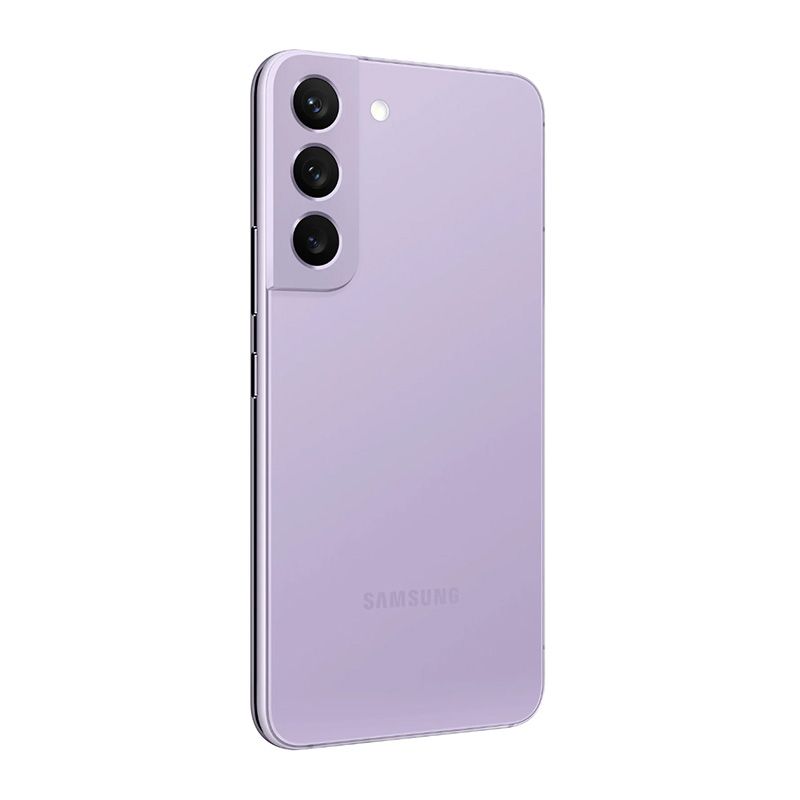
Speaking of the Galaxy S22, it retains the general design of its predecessor, but there are a few changes. For one, the Galaxy S22 swaps the plastic back of the S21 for a glass back. Secondly, it features a color-matched camera island that doesn’t blend into the mid-frame.
The iPhone 14 is slightly taller than the Galaxy S22 and a tad heavier. Both phones are made of high-quality materials, featuring aluminum frames and glass backs. As for durability, the S22 features a Gorilla Glass Victus Plus on the front, while the iPhone 14 has Ceramic Shield protection. Additionally, both devices boast IP68 certification for dust and water resistance. But even then you should definitely pick up a protective case to protect your shiny new phone from drops and scratches.
No matter which phone you pick, you’ll get a wide range of color options. The Galaxy S22 comes in Phantom Black, White, Pink Gold, Green, Graphite, Sky Blue, Violet, Cream, and Bora Purple. Meanwhile, the iPhone 14 is available in Midnight, Purple, Starlight, Blue, and Red.
Both the Galaxy S22 and iPhone 14 have 6.1-inch displays, which are considered small by today’s standards. The Galaxy S22’s AMOLED panel has 1080 x 2340 pixels, a 120Hz refresh rate, and 1300 peak brightness with HDR10+ support. The iPhone 14 panel offers a higher resolution at 1170 x 2532 pixels and provides 1200 nits brightness and Dolby Vision support. Additionally, it supports Apple’s True Tone feature to provide a more readable experience in different lighting conditions.
When it comes to the refresh rate, the iPhone 14 is at a disadvantage as it’s locked to 60Hz. The Galaxy S22, on the other hand, can scale its refresh rate all the way up to 120Hz to provide a smoother scrolling experience and dial it down to 48Hz to conserve battery. The iPhone 14 also doesn’t offer Always-on Display similar to the Galaxy S22.
Let’s not mince words here. The Galaxy S22 has a superior display. Not only does the Galaxy S22 have a more immersive display thanks to a less distracting hole-punch notch, but it is also smoother and brighter than the iPhone 14 panel.
Camera
On the back of the iPhone 14 is a familiar dual-camera setup consisting of a 12MP f/1.5 main shooter and a 12MP f/2.4 ultra-wide camera. The ultra-wide shooter is unchanged from the iPhone 13, but the main camera has been upgraded with a faster upgrade and larger pixel size for improved light sensitivity. There’s also a brand new 12MP f/1.9 selfie camera on the front, which promises big improvements in low light.
The Galaxy S22 packs a triple camera setup, featuring a 50MP f/1.8 main shooter, a 10MP f/2.4 telephoto lens, and a 12MP f/2.2 ultra-wide sensor.
As you can see, the Galaxy S22 has a more versatile camera setup. It boasts a 10MP dedicated telephoto lens that offers 3x optical and up to 30x digital zoom. Meanwhile, the iPhone 14 doesn’t have a zoom lens, but it offers 5x digital zoom from its main camera.
As far as image quality is concerned, both phones are neck to neck. In daylight, both phones’ main cameras deliver sharp images with good detail retention, high dynamic range, and great contrast. However, as you can notice in the samples attached below, the Galaxy S22 favors saturated colors that look pleasing to the eyes, while the iPhone 14 shots showcase true-to-life colors.
For low-light and night photography, both phones offer a dedicated night mode. The iPhone 14 also benefits from Apple’s new image pipeline called Photonic Engine, which the company says delivers 2.5x better mid-to-low light performance on the main camera and up to 2x on the ultra-wide camera.
iPhone 14 camera samples
Galaxy S22 image samples
While there’s no clear winner in still photography, the iPhone 14 takes the lead in the video department. The iPhone lineup has always delivered class-leading video performance, and the iPhone 14 is no different. No matter what format or resolution you choose, you’ll get buttery smooth video footage with rock-solid stabilization. In addition, the new Action mode further strengthens the phone’s video capabilities by offering gimbal-like stabilization. One advantage the Galaxy S22 has over the iPhone 14 is that it can shoot 8K footage while the former tops out at 4K.
Performance, Battery life, and Software
The iPhone 14 packs last year’s A15 Bionic chipset. It’s the first time the standard iPhone doesn’t get the latest and greatest Apple silicone, with the company reserving the new A16 Bionic chipset for the more expensive Pro models. The Galaxy S22’s processing package depends on the market. In Europe, you get Samsung’s in-house Exynos 2200 chipset, while other markets get Qualcomm Snapdragon 8 Gen 1.
Although the iPhone 14 has an older chipset, it blows the Galaxy S22 out of the water in raw performance. In Geekbench, the iPhone 14 scored 1714 on single-core and 4567 on multi-core, while the Galaxy S22 only posted 1,216 and 3,126, respectively.
While the iPhone 14 dominates benchmarks, the Galaxy S22 shines in real-life performance, offering a fast and fluid performance thanks to its 120Hz display. Scrolling and system navigation feel sluggish on the iPhone 14 due to its 60Hz panel. The difference is only noticeable if you’re coming from a 90Hz or 120Hz display. This shouldn’t be an issue if you have never used a high refresh rate display before.
Both phones are available in multiple storage configurations. The Galaxy S22 comes in 128GB and 256GB versions with 8GB of RAM, while the iPhone 14 is available in 128GB, 256GB, and 512GB variants with 6GB of RAM.
The battery life is another area where the iPhone 14 beats the Galaxy S22. The Galaxy S22’s 3,700mAh battery is 300mAh smaller than its predecessor. Samsung thought that the smaller display and more efficient chipset would compensate for the reduced battery in the Galaxy S22, but it hasn’t worked out that way, as the phone struggles to last a full day on heavy usage. The iPhone 14, on the other hand, is more dependable, and you will have no trouble getting through a full workday, even with heavy usage.
When it comes to charging speed and convenience, Samsung’s flagship has the iPhone 14 soundly beat. The Galaxy S22 offers faster 25W wired charging compared to iPhone 14’s 20W charging speed. Both phones also support wireless charging though only the Galaxy S22 offers reverse wireless charging.
The iPhone 14 continues to use the proprietary Lightning port instead of the universal USB-C port that all Android phones, including the Galaxy S22, use. That means you’ll have to carry a separate charging cable for the iPhone while traveling.
On the software front, the iPhone 14 ships with iOS 16 out of the box, while the Galaxy S22 runs Android 12 with One UI 4 on top. If Apple’s excellent track record is any indication, we can expect the iPhone 14 to receive at least 5 years of software updates. The Galaxy S22 isn’t too far, either. It’s promised to get four major Android OS updates and five years of security updates.
iPhone 14 vs Galaxy S22: Which one should you buy?
The iPhone 14 vs Galaxy S22 comparison doesn’t yield a clear winner as both devices have their strengths and weaknesses. The Galaxy S22 boasts a better display, a more versatile camera system, and a better charging experience. Meanwhile, the iPhone 14 offers more raw power, superior video performance, and better software support.
There is no clear answer as to whether you should buy the iPhone 14 or Galaxy S22. Since both phones belong to two completely different ecosystems, let your individual need, priorities, and personal preference decide which phone is better for you. If you’re already deeply invested in the Apple ecosystem, the iPhone 14 might serve you better. On the other hand, if you value customization, openness, and versatility of the Android platform, the Galaxy S22 is one of the best Android flagships you can buy.
The iPhone 14 starts at $799, but you can take advantage of deals to get it for a lot less. If you’re rocking an iPhone 13 or 12, there’s no need to upgrade to iPhone 14, as there aren’t enough improvements and upgrades to be worth the jump. The same goes for the Galaxy S22. It also starts at $799 but can be had for much less with deals. It doesn’t bring many upgrades over its predecessor and is easy to skip if you’re using a Galaxy S21 series device.
Google Fiber has been around for over a decade, and the service hasn’t really expanded its reach, still being limited to only a few regions. While the company finally expanded to new states a few months ago, it is now touting faster internet speeds with its new 5 Gig and 8 Gig data plans.
Google Fiber is no stranger to speed, as it was one of the first to offer 1 Gig internet plans almost a decade ago. The firm upped the ante by delivering 2 Gig just a couple of years back, and it has now pushed things even further with its 5 Gig and 8 Gig plans. Despite its announcement, the plans won’t be available today but will go live starting in early 2023. Of course, this service will be tempting, especially considering that pricing starts at $125 per month for the 5 Gig plan and just $150 per month for the 8 Gig plan. It states that the service will offer symmetrical upload and download speeds, which is impressive. If you want to take advantage of this kind of speed, you will need at least a supported modem and Wi-Fi 6 router.
While this is great news, as mentioned before, the service is sadly only available in a handful of states and cities. You can see all of the cities that are currently supported in the image above. Google has also committed to expanding its service to Arizona, Colorado, Idaho, Nebraska, and Nevada. For the most part, this is one of those situations where you don’t know whether Google will simply shut things down since it hasn’t been that successful. If unaware, Google is known for this practice. More recently, the firm announced plans to shutter Stadia, its online game-streaming service. The people that invested in this platform only got a few years out of it, and although Google promised refunds, it is definitely a move that can leave many in shock.
Framework isn’t your typical laptop manufacturer. Instead, it builds modular laptops that allow users the ability to customize, upgrade, and even repair parts on their own. While the idea is to give users more control over their products, the company also wants to make an impact by reducing e-waste. In an effort to further advance this message, the company has started offering refurbished models that come with a promise and a 30-day money-back guarantee.
Framework states that it’s able to offer discounted refurbished models due to a small number of customer returns. Despite being refurbished, the company promises that the laptops will be in like new condition and will also come with a full warranty. Each laptop goes through a thorough testing phase, making sure that nothing is wrong with the unit. If there is anything wrong, parts are replaced, and once again, the laptop is tested to ensure it is in proper working order. After the test, the laptop is fully cleaned and made available for sale.
In this process, Framework doesn’t repair minor cosmetic issues, but it does set high standards for each refurbished unit being sold. According to its website, it will allow small scratches on all surfaces to exist, but no more than 10 or 15 total, depending on which panel the scratches exist on. Also, they can be no more than 2 cm in length on most panels, and any cracks, breaks, and chips are not allowed. Of course, buying refurbished isn’t for everyone, so be sure to read the full details before making a purchase. But you can always give it a try because, as mentioned before, the laptops can be purchased worry-free thanks to the money-back guarantee. In addition to laptops, it is also offering refurbished accessories, like its various expansion packs.
Currently, there are a few choices up on the website, with the lowest being priced at $599 and the highest at $1,069. While these are 11th Gen Intel models, you can always feel a bit more relieved knowing that as long as the company is around, you can upgrade later down the line. The firm more recently announced its 12th-gen update, giving users the option for more power and new accessories. If interested in any of these laptops, new or used, be sure to head to the link down below.
Remember when Spotify first announced its HiFi streaming tier? Well, if not, the service was announced towards the beginning of 2021 and promised a high-quality audio experience bringing “music in CD-quality lossless audio format.” Unfortunately, that never happened, and the audio tier was delayed indefinitely in January 2022. Fast forward to October 2022, and it looks like the HiFi audio option could be close to making its debut, as apparently, a new survey is being circulated by Spotify that mentions the unreleased audio tier.
The news comes from a user on Reddit that is a former Spotify subscriber, with the survey asking whether the person would switch or rejoin the service based on new plans offered by the service. While the survey mentions the usual plans like Spotify Free and Personal, it also reveals a Platinum tier. The Platinum tier is an option that is currently not available but, according to the survey, could cost $19.99 per month. Of course, the top-tier offering does have additional perks when compared to the Personal plan, like HiFi audio. In addition, the plan would include extras like Audio Insights, Headphone Tuner, Library Pro, Playlist Pro, and Studio Sound. Unfortunately, Spotify doesn’t go into detail about all of these extra features, but for $19.99, the service does seem to offer quite a bit.
In addition to the Platinum tier, it looks like Spotify also had other bundles on offer, like adding audiobooks to the service, which would again bump up the price. Apple caused quite a stir when it announced that it would be adding lossless and Dolby Atmos support to its Music service at no extra cost. Amazon also later offered lossless support at no extra cost as well. Many believed that these moves caused Spotify to pause its plans, indefinitely delaying its HiFi streaming tier. While the survey looks promising, there is no telling when Spotify will actually release the service.
It’s been a few months since we last heard anything substantial about Apple’s upcoming mixed reality headset. Now we’re getting news that the headset will offer a biometric authentication feature, a unique look, premium construction, and more.
According to the source, the new biometric authentication method will work by scanning a user’s iris, allowing them to easily switch accounts and also authorize payments without having to use a password. The iris scanning camera inside of the headset will also be used to provide a better viewing experience for users, enabling foveated rendering. With foveated rendering, users will be able to experience the highest fidelity image without straining the SoC of the headset. The technology renders what the eye can see in the highest quality possible, while surrounding images are rendered in a lower fidelity. It’s quite a clever solution and also very efficient.
In addition, the new report states that Apple’s mixed reality headset will look quite different from the recently announced Meta Quest Pro. While Meta’s solution looks pretty good, it is mostly made from plastic. Apple will take a different route, producing its headset from aluminum and glass. Because of this, the headset will be much lighter and it will have a more premium feel. Furthermore, the report states that the front visor area will also be covered in a mesh fabric, offering a completely different look to what we have seen before. Thankfully, those that require the use of prescription glasses will be happy to know that Apple will allow prescription lenses but they will magnetically attach to the inside of the headset.
Apple’s first headset is expected to come in priced at somewhere around $2,000 to $3,000. It will make use of quite a few cameras, maybe even using as many as a dozen, and will feature a high resolution display. The unit will also reportedly be powered by a chip that is similar to the ones found in Apple’s latest MacBook laptops. Furthermore, there will also be an external display that will show the expression of the user wearing the headset. While there isn’t a clear release date, many reports point to 2023. While the technology will certainly be important, this will also be a huge release for Apple, as it will be its first new product in quite some time.