LightBlog

vendredi 26 juin 2020

Exclusive: 3 of Android 11’s best features won’t be available on every device

Every year, Google releases a new version of the Android operating system. Google released the first Android 11 Developer Preview back in February followed by the second, third, and fourth developer previews over the last few months. Earlier this month, Google unveiled the first Android 11 Beta and talked in-depth about the best features for users to enjoy and for developers to implement. However, we’ve now learned that three of the top features in Android 11 won’t be available on every Android device.

To understand how that’s possible, we have to briefly explain how the Android OS is distributed from Google to smartphone device makers. Android is an open-source operating system licensed under Apache 2.0, meaning that anyone, from indie developers to big companies, is free to modify and distribute the OS on their own devices. Most of the new OS features that Google unveiled for Android 11 will be part of the Android Open Source Project (AOSP) that smartphone device makers base their own software on, but the Apache 2.0 license, as I mentioned before, lets anyone modify the software as they see fit. In order to maintain consistency in APIs and platform behavior between Android devices, Google bundles the distribution of Google Mobile Services (which includes applications and frameworks like the Google Play Store and Google Play Services) with license agreements mandating that devices adhere to the rules under Google’s “Android Compatibility Program” (among other requirements). The Android Compatibility Program consists of multiple automated test suites and a set of rules enumerated in the Android Compatibility Definition Document (CDD).

In the CDD, Google lists software and hardware features that device makers “MUST” implement, are only “STRONGLY RECOMMENDED” to implement, or “SHOULD NOT” implement. If a feature is listed as “MUST” implement, then the device maker has to add that feature or they can’t ship Google apps on their devices. If a feature is listed as “SHOULD NOT” implement, then the device maker can’t add that feature or they can’t bundle Google apps. Finally, if a feature is listed as “STRONGLY RECOMMENDED,” then it’s up to the device maker whether or not they want to implement the feature. The CDD is a constantly changing document, even before its publication every year following the public release of a new Android version. Google frequently updates the document to remove features, change the language to be clearer, and relax requirements based on feedback from its partners. However, once Google makes a CDD public for a particular Android version, those requirements will be set in stone for Google-certified devices running that Android OS version.

The Android 11 CDD won’t become public until later this year, likely in early September. However, developer @deletescape shared a pre-release copy of a document that details changes coming to the CDD, giving us an early look at how Google is shaping Android 11 across the ecosystem. The vast majority of the over 60 changes to the CDD aren’t very interesting to users—they describe how device makers have to implement certain APIs, declare certain features, and implement certain kernel features. However, 3 of the changes to the CDD caught our attention because they relate to some of the most interesting features in Android 11. Here’s what we uncovered.

Device Controls

android 11 smart home device controls google home

Device Controls is a feature in Android 11 that allows for smart home automation controls to be shown in the power menu. You can turn off your lights, open your garage door, start your vacuum cleaner, change your home’s temperature, and do much more without opening up a dozen different smart home apps. Google added APIs that developers of smart home apps can use to surface controls in the power menu. We think this is a neat feature that finally brings your smartphone into the smart home. Unfortunately, there’s no requirement for OEMs to actually implement it. If an OEM thinks the feature is lame or they want to go a different route (such as only allowing smart home controls from devices in their own ecosystem), then they can simply disable support for Device Controls.

When Google first added Device Controls to the CDD on February 25th, 2020, they mandated its inclusion by adding a “MUST” requirement in Section 2.2.3 – Handheld Software Requirements. However, on May 20th, 2020, Google updated the text to remove the proposed “MUST”. The new Section 3.8.16 – Device Controls outlines how the feature has to be implemented but does not actually require that it be implemented in the first place! We hope OEMs won’t disable this nifty feature, but there’s no way for us to know if they have disabled it until they’re ready to unveil their own flavors of Android built on top of Android 11, which won’t happen until several months from now.

Proposed Section 3.8.16 (New) - Device Controls (Updated 5/20/2020)

3.8.16 Device Controls

Android includes ControlsProviderService and Control APIs to allow developers to publish device controls for quick status and action for users.

3.8.16.1 Device Controls User Affordance

If devices implement Device Controls, then they:

  • [C-1-1] MUST report the android.software.controls.feature flag to be TRUE
  • [C-1-2] MUST provide a user affordance with the ability to add, edit, select and operate the user’s favorites from the controls registered by the 3rd-party apps through the android.service.controls.ControlsProviderService and the android.service.controls.Control APIs.
  • [C-1-3] MUST provide access to this user affordance within three interactions from the Launcher
  • [C-1-4] MUST accurately render in this user affordance the name and icon of each 3rd-party app that provides controls via the android.service.controls.ControlsProviderService API as well as any specified icon, status text , device type, name, structure, zone, custom color, and subtitle provided by the android.service.controls.Control API

Conversely, If device implementations do not implement such controls, then they

  • [C-2-1] MUST report Null for the ControlsProviderService and the Control APIs.

Conversations in Notifications

Conversations in Android 11. Source: Google

One of Android’s biggest advantages compared to iOS is how the former handles notifications. That gap in usability will get even wider in Android 11 with the introduction of “Conversations.” In Android 11, notifications from messaging apps are grouped together and are shown in a separate section in the notification panel above most other notifications. This lets you quickly see and respond to messages without having to scroll through all your other pending notifications. Unfortunately, this nifty change to notifications may not be available on all devices. Google is giving OEMs the option to choose whether they want to “group and display conversation notifications ahead of non-conversation notifications.” OEMs frequently customize the notification panel, and so it’s no surprise that Google is giving OEMs a choice here. Still, it’s unfortunate that Google isn’t choosing to enforce more consistency in notifications in Android 11.

Proposed changes to Section 3.8.3.1 - Presentation of Notifications (Updated 4/08/2020)

If device implementations allow third party apps to notify users of notable events, they:

Android R introduces support for conversation notification, which is a notification that uses NotificationManager.MessageStyle and provides a published People Shortcut ID.

Device implementations are:

  • [H-SR] STRONGLY RECOMMENDED to group and display conversation notifications ahead of non conversation notifications with the exception of ongoing foreground service notifications and importance:high notifications.

If conversation notifications are grouped into a separate section, device implementations

  • [H-1-8] MUST display conversation notifications ahead of non conversation notifications with the exception of ongoing foreground service notifications and importance:high notifications.

Device implementations are:

  • [H-SR] STRONGLY RECOMMENDED to provide access to the following actions from conversation notifications: display this conversation as a bubble if the app provides the required data for bubbles

The AOSP implementation meets these requirements with the default System UI, Settings, and Launcher.

IdentityCredential – Mobile Driver’s Licenses

Finally, one of the features that I’m most excited about is the IdentityCredential API. As we detailed last year, the IdentityCredential API is designed to allow applications to store identity documents, such as mobile driver’s licenses, on the device. Several countries (and some U.S. States) around the world already allow their citizens to store their driver’s licenses in a mobile app. However, Google is working to make this more secure by having the data stored offline in a secure environment.

A sample image of a digital driver’s license accessed through the LA Wallet app. Source: Envoc

The source code for Android 11 includes the IdentityCredential API (which developers will call to store identity documents in the phone’s secure environment) and the IdentityCredential HAL (which interfaces with the phone’s secure environment), but OEMs are not required to implement them. When Google first proposed the inclusion of IdentityCredential in the CDD on January 10, 2020, they listed it as a requirement. However, they relaxed this requirement on March 18, 2020, and now only strongly recommend that OEMs support this feature. We’re not surprised that Google relaxed this requirement—adding a change that impacts the trusted execution environment will require effort from OEMs to implement. It’s possible that OEMs simply need more time to get ready for this change. For users, though, that means there’s no guarantee your particular Android 11 smartphone will support securely storing a mobile driver’s license in the phone’s secure environment.

We should note that there’s no technical limitation preventing the widespread adoption of the IdentityCredential system among Android 11 devices. One of the requirements for implementing the IdentityCredential system is that the device has a Trusted Execution Environment (TEE) or a dedicated secure processor in which a “trusted application” interacts with the stored identity documents. Since Android 7.0 Nougat, Google has required all modern Android devices to support an “isolated execution environment” (per Section 2.2.5 – Security Model in the CDD). Devices with ARM processors typically feature ARM’s TrustZone TEE, and Google provides the Trusty OS that runs on TrustZone. The presence of a TEE is enough to support the IdentityCredential system, though it would be more secure if the credentials are stored in an embedded secure CPU (such as in the Secure Processing Unit of some Qualcomm Snapdragon processors) or a discrete secure CPU (such as in Google’s Titan M or Samsung’s new security chips). Notably, devices with discrete secure CPUs may also be able to support the “Direct Access mode” feature of the IdentityCredential system, which will allow the user to pull up their identity document even when there isn’t enough power left in the device to boot up the main OS.

Proposed Section 9.11.3 (New) - Identity Credential (Updated 3/18/2020)

The Identity Credential System allows app developers to store and retrieve user identity documents.
Device implementations:

  • [C-SR] are STRONGLY RECOMMENDED to implement the Identity Credential System.

If device implementations implement the Identity Credential System they:

  • [C-0-1] MUST return non-null for the IdentityCredentialStore#getInstance() method.
  • [C-0-2] MUST implement the `android.security.identity.*` APIs with code communicating with a trusted application running in either a Trusted Execution Environment (TEE) or on a dedicated secure processor. The trusted application must be implemented such that the Trusted Computing Base for the Identity Credential System does not include the Android Operating System.

Google is also working on an IdentityCredential Jetpack library to make it easier for developers to add support for securely storing identity documents on Android, but the real challenge will be getting governments to authorize apps using this API to securely store government IDs. According to Engadget, South Korea just rolled out support for storing driver licenses in a mobile app, so we’re starting to see an uptick in acceptance for this technology. I, for one, am excited to see where this goes because it’ll mean one less thing to carry with me when I go outside.


The document that we obtained listed changes to the CDD by the date those changes were made. The latest changes were made on June 10, 2020, which means that the document that we have is fairly up-to-date. It’s possible that Google could renege on these changes and make them all requirements again before the public release of Android 11, but we doubt Google will all of a sudden make the CDD more stringent. These changes were likely relaxed due to feedback from OEMs who are the ones that will have to go back and implement these features if they weren’t already planned on doing so. That takes time, effort, and money, which would just delay the release of Android 11 for non-Google devices even further. Still, if Google does make these features required once more, we’ll post an update on the XDA Portal.

The post Exclusive: 3 of Android 11’s best features won’t be available on every device appeared first on xda-developers.


from xda-developers https://ift.tt/3dAOJ2U
via IFTTT

Here are the countries using Google and Apple’s COVID-19 Contact Tracing API

The novel coronavirus, also known as SARS-CoV-2, has wreaked havoc across the world. Many countries shut down large parts of the economy in order to contain the spread of the virus. As countries reopen their economies, many health experts fear a “second wave”, ie. resurgence, of COVID-19. To prevent a second wave, public health experts are advocating that nations adopt contact tracing, ie. tracing all the people who have recently come into contact with a person who has tested positive for COVID-19 and then undertaking steps to isolate those individuals. Contact tracing is difficult to implement correctly without violating an individual’s privacy. The threat to personal privacy was severe enough for Google and Apple to collaborate on an API that developers of public health agencies can use to implement app-based contact tracing solutions. This contact tracing API, which Google and Apple call the Exposure Notification API, is designed to respect user privacy and security.

Once a user downloads an app that uses the Exposure Notification API and opts in to contact tracing, their device starts generating “proximity identifiers” that are changed every 15 minutes (on average). Via Bluetooth Low Energy, these “proximity identifiers” are periodically shared with nearby devices whose users have also opted into contact tracing. The proximity identifier is then processed on-device and does not reveal information about a user’s location or other personally identifiable information. Once a user confirms a positive diagnosis of COVID-19, they can share their diagnosis with the app they installed, which will then inform other users who have come into close contact with them in the last 14 days. For more information on how the Exposure Notification API works, we recommend reading our initial coverage.

Google first rolled out the Exposure Notification API for Android devices on May 20, 2020, as part of an update to Google Play Services, but its use is restricted to apps that have been developed by official public health agencies (for obvious reasons). However, neither Google nor Apple has made details public about the list of apps that have been whitelisted for using this API, so unless you’re constantly keeping up with the news, it’s hard to know which countries have adopted the API. We’ve previously covered some of the countries that have adopted the Exposure Notification API when we talked about the various open-source contact tracing projects that are out there. In this article, we have compiled a list of official contact tracing apps from designated health agencies from various countries that are using Google and Apple’s Exposure Notification API. Our list contains COVID-19 contact tracing apps that have been released or are currently in development.

XDA’s Mishaal Rahman discovered Google’s hidden whitelist of application package names for the API. Subsequently, these package names were traced back to apps, their listing, and the countries they belong to. The information is compiled below in a table for easy reference. We have also added Google Play Store and Apple App Store links, if the app has been publicly released, as well as the source code and the official website link, wherever available. We will update this list as more countries/regions adopt the API.

Sr. No. Nation – Region Application Name Android Package Name Status of Development Useful Links
1. Australia* COVIDTrace au.gov.dta.covidtrace In-Development
2. Austria Stopp Corona at.roteskreuz.stopcorona Released
3. Canada** In-Development
4. Denmark Smittestop com.netcompany.smittestop_exposure_notification Released
5. Germany Corona-Warn-App de.rki.coronawarnapp Released
6. Ireland Covid Tracker com.covidtracker.hse In-Development
7. Italy Immuni it.ministerodellasalute.immuni Released
8. Japan COVID-19 Radar jp.go.mhlw.covid19radar In-Development
9. Kenya ke.go.health_togethertrace In-Development
10. Latvia Apturi Covid Latvia lv.spkc.gov.apturicovid Released
11. Mexico mx.gob.www In-Development
12. Netherlands*** nl.rijksoverheid.en In-Development
13. Philippines StaySafe PH ph.staysafe.mobileapp Released
14. Poland ProteGO Safe pl.gov.mc.protegosafe Released
15. Saudi Arabia Tabaud sa.gov.nic.tabaud Released
16. Switzerland SwissCovid ch.admin.bag.dp3t Released
17. United Kingdom**** NHS COVID-19 Switching to Exposure Notifications API
18. Uruguay Coronavirus UY uy.gub.salud.plancovid19uy Released
19. USA – Alabama***** In-Development
20. USA – North Dakota***** In-Development
21. USA – South Carolina***** In-Development
22. USA – Virginia***** gov.vdh.exposurenotification In-Development

*Australia’s existing app uses the BlueTrace protocol but the government is testing an implementation using Apple and Google’s API.

**On June 18, 2020, Canada announced its app will use technology from Apple and Google.

***According to a report from the House of Representatives of the Netherlands, an open-source app using Exposure Notification API is planned.

****On June 18, 2020, the UK announced they are switching their app to use Apple and Google’s API.

*****On May 20, 2020, the U.S. states of Alabama, North Dakota, and South Carolina announced their intentions to develop apps using Apple and Google’s API. Care19, the existing contact tracing app for North and South Dakota, will be rebranded as Care19 Diary while a new app called Care19 Exposure will be released. North Dakota Governor Doug Burgum confirmed his state will use this new app while South Dakota has not committed. Meanwhile, Virginia has not yet confirmed which API they will use for their contact tracing app.


Thanks to PNF Software for providing us a license to use JEB Decompiler, a professional-grade reverse engineering tool for Android applications.

The post Here are the countries using Google and Apple’s COVID-19 Contact Tracing API appeared first on xda-developers.


from xda-developers https://ift.tt/2YC0UrS
via IFTTT

OnePlus Nord could come with dual hole-punch selfie cameras

The upcoming mid-range smartphone from OnePlus has been on the horizon for several month. Initially identified as the OnePlus 8 Lite and later rumored to be the OnePlus Z, the phone may actually be called OnePlus Nord. A series of leaks and rumors have already revealed the tentative design and the specifications of the Nord. But a new report now suggests the OnePlus Nord could actually feature dual hole-punch cameras instead of the previously rumored single camera.

A OnePlus insider has divulged this information to Android Central, confirming the configuration of this camera setup. As per the report, the OnePlus Nord will feature a 32MP primary camera complemented by a secondary 8MP wide-angle camera. Notably, the OnePlus 8 and the Pro feature 16MP Sony sensors and not only will the Nord be OnePlus’ first device to feature a dual selfie camera, but it will also be the first one to use a 32MP primary sensor on the front.

Realme, another smartphone China’s BBK Electronics, recently launched the X3 SuperZoom with a 32MP + 8MP selfie cameras, comprising a Sony IMX616 as the primary sensor. It is probable that OnePlus uses the same setup for the Nord.

Reliable tipster Max J. corroborated this report by Android Central while also claiming that OnePlus canceled the purported OnePlus 8 Lite that was leaked by another leaker known by their alias OnLeaks. At the time, OnLeaks had said that the phone was supposed to launch alongside the OnePlus 8 series but was delayed due to COVID-19.

If Max J. is to be believed, the OnePlus Nord could have a design different from the one previously rumored. Gladly we shouldn’t have to wait for long until we know since the phone is expected to launch on July 10th as per another report by Android Central.

Meanwhile, we hope there aren’t many changes to the OnePlus Nord specifications revealed in a leaked survey earlier this month. According to the survey, the mid-ranger will be powered by a Snapdragon 765G mobile platform and feature a 6.56-inch AMOLED display with a 90Hz refresh rate. The phone is likely to come with a 4,300mAh battery along with 30W. The same survey, however, also hints a 16MPsiingle hole-punch camera on the front and that makes us be unsure in its authenticity.

We hope to learn more about the OnePlus Nord and as we do, also share those details with you. What do you expect from the upcoming mid-range smartphone? Let us know in the comments below.

Disclaimer: Featured image is a concept render by the author based on the rumors; not an actual phone.

The post OnePlus Nord could come with dual hole-punch selfie cameras appeared first on xda-developers.


from xda-developers https://ift.tt/2NyV8RO
via IFTTT

Get Lifetime Online Protection with this Highly Rated VPN and NAT Firewall for $49.99

There are many different VPN providers to choose from nowadays. Some are cheap and lackluster, while others charge a ridiculous amount each month. If you would like to find a solution that delivers the protection you need at a price that won’t set your wallet on fire, try Ivacy VPN. This highly-rated service offers fast connections, strong security, and a strict no logging policy. You can currently pick up a lifetime subscription for just $49.99 via the XDA Developers Depot, with NAT Firewall protection thrown in.

Whether you want to shake trackers off your tail, bypass local restrictions, or secure your connection, Ivacy VPN has you covered. Rated at 5 stars by BestVPNProvider, this service disguises your IP address and location to make you truly anonymous online. 

With 450 servers in more than 100 locations around the world, Ivacy VPN helps you avoid those “not available in your region” messages when browsing for content. This VPN also supports P2P sharing, with unlimited bandwidth. It works on phones, tablets, computers, games consoles, and streaming boxes, with a dedicated add-on for Kodi users.

Ivacy VPN has a strict no-logging policy, while AES-256 encryption helps ensure your connections remain private — even on public Wi-Fi. The included NAT Firewall helps you avoid other threats, including hackers and malware. One Ivacy VPN subscription also covers up to five devices at the same time.

This lifetime bundle is worth $1,254, but you can get your subscription now for just $49.99.

 
Ivacy VPN: Lifetime Subscription + NAT Firewall – $49.99

See Deal

Prices subject to change 

The post Get Lifetime Online Protection with this Highly Rated VPN and NAT Firewall for $49.99 appeared first on xda-developers.


from xda-developers https://ift.tt/2CJzIPI
via IFTTT

OnePlus CEO reveals key details about the design of the upcoming OnePlus TVs

OnePlus recently revised to its market strategy and announced it will once again attend to the mid-range segment. While we’ve been hearing about OnePlus mid-range smartphone for at least the last six month, the company is also launching a new lineup of affordable Android TVs as early as next week. A stream of official teasers is already pouring out and disclosing details like the starting price of less than ₹20,000 (~$265) for these TVs. In another official teaser, OnePlus has announced key details about the form of the upcoming TV range, stressing on a “burdenless design.”

In a post on the OnePlus Community, OnePlus CEO Pete Lau elaborated on the various design elements. According to the post, the upcoming OnePlus TV series will feature a minimal form factor and a sleek build. While we don’t exactly know which of the already certified models the post refers to, it should most likely apply to the most superior or premium model in the series.

oneplus midrange tv

The said Android TV from OnePlus will feature extremely thin bezels; the executive claims a screen-to-body ratio of 95% – which is even more than what we see on phones. In fact, there are no physical bezels on the front but only a strip of glass that has been covered with “a sheet of matte black glass.” The company has already talked about the software enhancements to this “Cinematic Display” in an earlier Community post.

The top, left, and right edges of the OnePlus TV are reinforced with a “single piece of aluminum alloy.”

oneplus tv 43 inch 32 inch

The upcoming OnePlus TV is slimmer than the OnePlus 8

The display panel measures only 6.9mm and hinges on to bottom part – which presumably has the motherboard and all the ports. While the upper part is made with some kind of “stainless steel composite panel” while the bottom is likely to be made of plastic and covered with a layer of the same carbon fiber pattern that we saw on the more premium OnePlus’ 4K QLED TVs that were launched last year.

oneplus tv

With this, OnePlus certainly aims to raise the bar for affordable TVs. We’ll learn more about how well it can actually do so over the next week as more official teasers unfold and the company finally launches the TVs.

The post OnePlus CEO reveals key details about the design of the upcoming OnePlus TVs appeared first on xda-developers.


from xda-developers https://ift.tt/3i47GP4
via IFTTT

Spotify is finally available on Alexa-powered Amazon Echo smart devices in India

With over 500 million internet users, India has the second-largest net-surfing population in the world. This makes it a lucrative market for leading service providers. When it comes to music streaming, there are several Indian and international players such as Amazon, JioSaavn, Gaana, Wynk, Hangama, etc. in the market. Swedish music streaming platform Spotify was one of the latecomers when it finally went live in India last year. Several months after its launch in India, the music streaming is finally supported on Amazon Echo and will soon be available on other smart speakers, displays, and other devices powered by Alexa.

Since its launch in India, Spotify had not been supported by Alexa in India. Even though you could bypass that by changing your location to a country (say: the U.S.) where the integration was already supported, that took away support for local languages/accents as well as local services. But with the official announcement, users will be able to enjoy their personal playlists and subscribed podcasts in India without much effort. The service is available for both free and premium users in India.

To use the service with Alexa in India, go to the Amazon Alexa app on your smartphone and then to Settings > Music and tap on “Link new Service” and you’ll be asked to sign in with your Spotify account and authorize the device. After that, you can also select Spotify as your default music and radio service from the same page. Alternatively, you can also search for the Spotify skill either using voice by saying “Alexa, enable Spotify” or within the Alexa app on your smartphone.

Once the setup is complete, you can say commands like “Alexa, play Spotify” or “Alexa, play <artist/album name> on Spotify.” You can also jump to your daily playlist or a playlist curated for your region by saying “Alexa, play Bollywood Hits on Spotify” or “Alexa, play my Daily Mix 1 on Spotify.” Since Amazon’s smart assistant also supports Hindi and Hinglish, you can also use those languages to play your favorite podcasts or playlists in those languages.


Source: Amazon India Blog

The post Spotify is finally available on Alexa-powered Amazon Echo smart devices in India appeared first on xda-developers.


from xda-developers https://ift.tt/2Zav9pd
via IFTTT

How to change the AOD wallpaper in EMUI 10.1 for Huawei and Honor devices

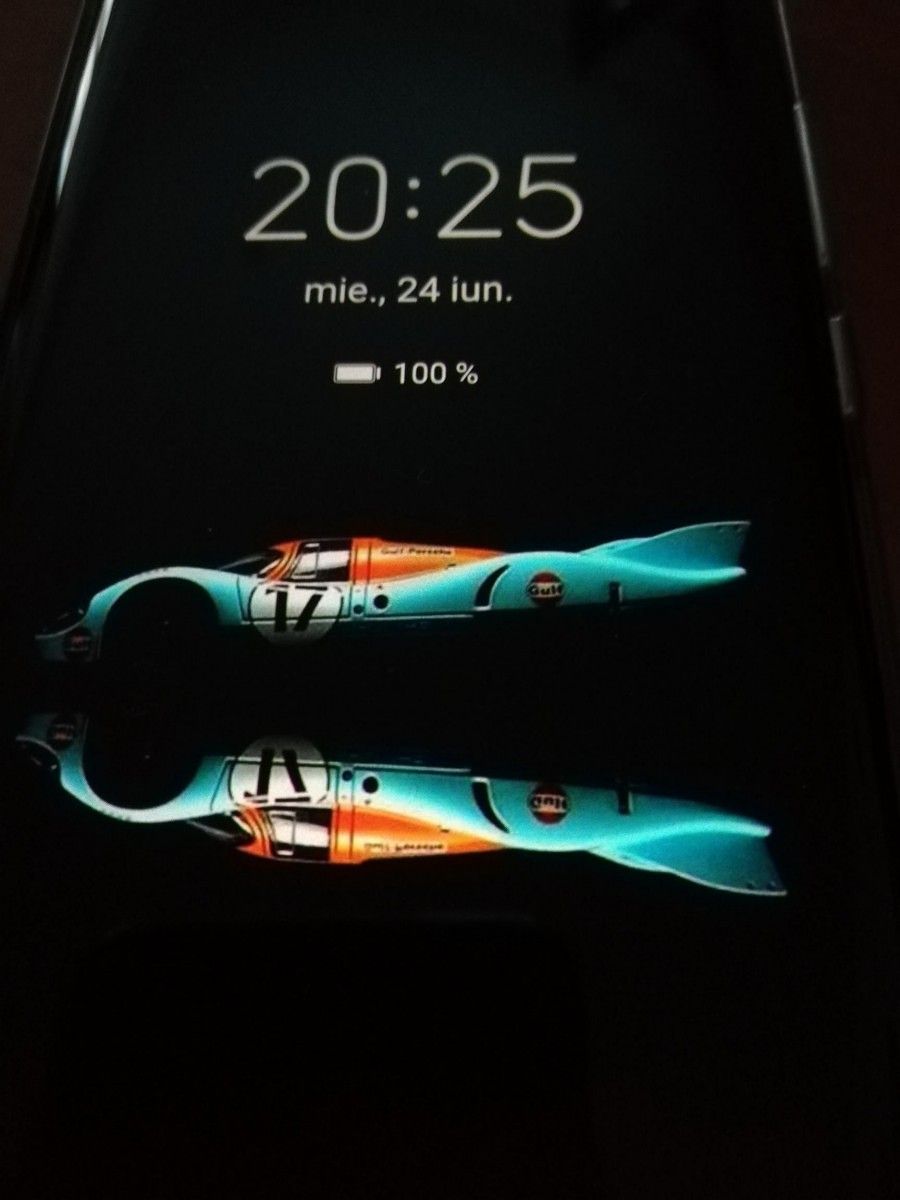
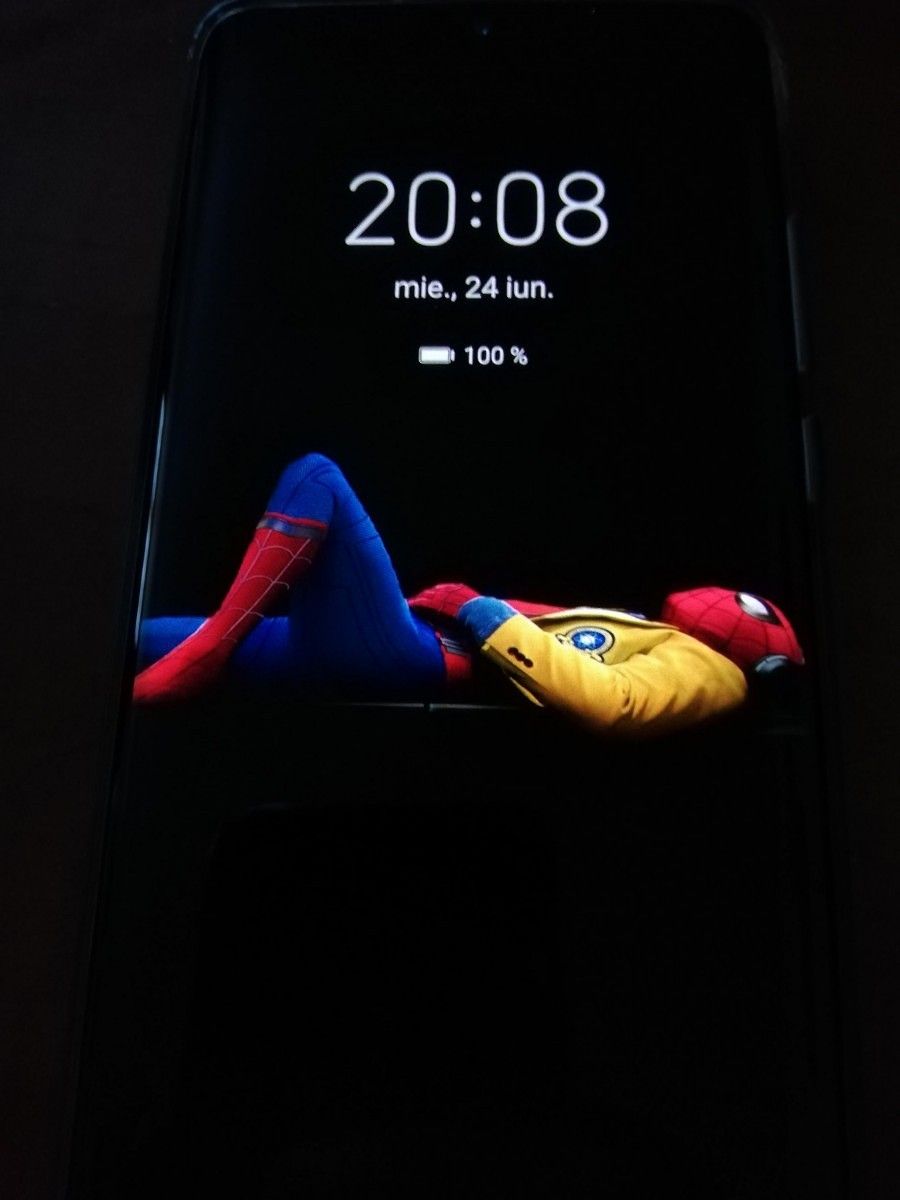
Huawei started rolling out EMUI 10 – its custom Android interface based on Android 10 – in November last year. EMIU 10 refined the user experience and brought improved visual elements including several new screens for the always-on display (AOD). While EMUI 10 added a bunch of new and colorful AOD options for Huawei and Honor phones with AMOLED displays, you can also install custom AOD wallpapers using any PNG image of your choice if you have already received the EMUI 10.1 update.

XDA Member Kamcho84 recently discussed the method to install custom AOD wallpapers on any Huawei phone running at least EMUI 10.1 or an Honor device Magic UI 3.1. Although obvious, it’s worth mentioning that this method will only work on devices equipped with OLED/AMOLED displays and support always-on displays already.

XDA Senior Member SilviuO compiled a guide on how to install custom AOD wallpapers on EMUI 10.1 devices in an XDA Forums thread. For the method to work, you’ll be required to install the Huawei Themes app from App Gallery. If your device uses the HMS Core instead of GMS Core, the app must be pre-installed.

XDA Forums thread: EMUI 10.1 AOD THEMES – PNG’s & HOW To change pictures 

To set a custom AOD wallpaper, you’ll be required to install a custom theme and apply it with the Themes app. You can either chose one of the many themes created by SilviuO or create your own using a PNG image with a black background of your own choice. If you choose to do the latter, the Senior Member has listed out the steps you’ll be required to follow to create and apply custom themes.

huawei emui 10.1 aod huawei emui 10.1 always on display

You can expect the method to work on the Huawei P40/P40 Pro/P40 Pro+ as well as the Huawei P30 series as these devices have received the EMUI 10.1 update already. Meanwhile, EMUI 10.1 beta is already being tested for Mate 30 series devices and the stable version is expected to roll out this month. As per the update timeline for the global update released by Huawei earlier this month, the update will be available for a total of 14 Huawei and 4 Honor devices aside from the ones that have already received the stable update.

The post How to change the AOD wallpaper in EMUI 10.1 for Huawei and Honor devices appeared first on xda-developers.


from xda-developers https://ift.tt/2ZhMDA6
via IFTTT