LightBlog

dimanche 21 juin 2020

Xiaomi Mi 10 Pro Review: Xiaomi’s best phone yet!

Up until now, my favorite Xiaomi phone was the Mi Mix 3. It had the right combination between hardware, design, and a certain element of style. I really didn’t think there would be another Xiaomi phone to fill the void the Mi Mix 3 left in my heart, but luckily, there is. That phone is the Xiaomi Mi 10 Pro.

The Xiaomi Mi 10 Pro is Xiaomi’s most premium consumer-grade flagship yet. This is also Xiaomi’s most expensive flagship to date, starting at €999 (~$1,090.) Xiaomi, a brand known for its fantastic value on phones, has now released a phone that’s just as expensive as high-end competitors. That now leaves us to wonder, is this phone still a good value in comparison to the other flagships on the market? Was the jump in price worth it from their previous flagships?

Xiaomi Mi 10 XDA Review – Redefining Mi as a Premium Smartphone Brand

Xiaomi Mi 10 Forums || Xiaomi Mi 10 Pro Forums

Specification Xiaomi Mi 10 Xiaomi Mi 10 Pro
Dimension & Weight
  • 162.6 x 74.8 x 9 mm
  • 208g
  • 162.6 x 74.8 x 9 mm
  • 208g
Display
  • 6.67″ OLED
  • 2340 x 1080
  • HDR10+
  • 90Hz
  • 180Hz touch response
  • Peak Brightness: 1120 nits
  • Hole-punch for camera
  • 6.67″ OLED
  • 2340 x 1080
  • HDR10+
  • 90Hz
  • 180Hz touch response
  • Peak Brightness: 1200 nits
  • Hole-punch for camera
Security
  • In-display fingerprint sensor
  • Software-based face recognition
  • In-display fingerprint sensor
  • Software-based face recognition
System-on-Chip Qualcomm Snapdragon 865:
  • 1x Kryo 585 (ARM Cortex-A77-based) Prime core @ 2.84GHz
  • 3x Kryo 585 (ARM Cortex-A77-based) Performance core @ 2.4GHz
  • 4x Kryo 385 (ARM Cortex A55-based) Efficiency cores @ 1.8GHz

Adreno 650

Qualcomm Snapdragon 865:
  • 1x Kryo 585 (ARM Cortex-A77-based) Prime core @ 2.84GHz
  • 3x Kryo 585 (ARM Cortex-A77-based) Performance core @ 2.4GHz
  • 4x Kryo 385 (ARM Cortex A55-based) Efficiency cores @ 1.8GHz

Adreno 650

RAM up to 12GB LPDDR5 up to 12GB LPDDR5
Storage up to 256GB UFS 3.0 up to 512GB UFS 3.0
Battery & Charging
  • 4,780 mAh
  • 30W Fast Wired Charging
  • 30W Fast Wireless Charging
  • 10W Reverse Wireless Charging
  • 4,500 mAh
  • 50W Fast Charging
  • 30W Fast Wireless Charging
  • 10W Reverse Wireless Charging
Rear Camera
  • 108MP Wide 1/1.33″, 7P lens, OIS
  • 13MP Ultra-Wide, 123°,  f/2.4
  • 2MP f/2.4 Macro Camera
  • 2MP f/2.4 Depth Sensor
  • 108MP Wide 1/1.33″ 8P Lens, OIS
  • 20MP Ultra-wide, 117°, f/2.2, 6P Lens
  • 12MP Portrait Lens, f/2.0
  • 8MP Telephoto Lens with 10x Hybrid Zoom, OIS
Front Camera 20MP 20MP
Software Version Android 10 Android 10
Connectivity
  • 5G: SA/NSA
  • Wi-Fi 6
  • USB Type-C
  • NFC
  • Bluetooth v5.0
  • 5G: SA/ NSA
  • Wi-Fi 6
  • USB Type-C
  • NFC
  • Bluetooth v5.0
Audio Stereo speakers, Hi-Res Audio certified Stereo speakers, Hi-Res Audio certified
Colors Coral Green, Twilight Grey Solstice Grey, Alpine White

About this review: Xiaomi provided us the Mi 10 Pro unit for review purposes. This review is after two months of use.


Display
Xiaomi Mi 10 Pro

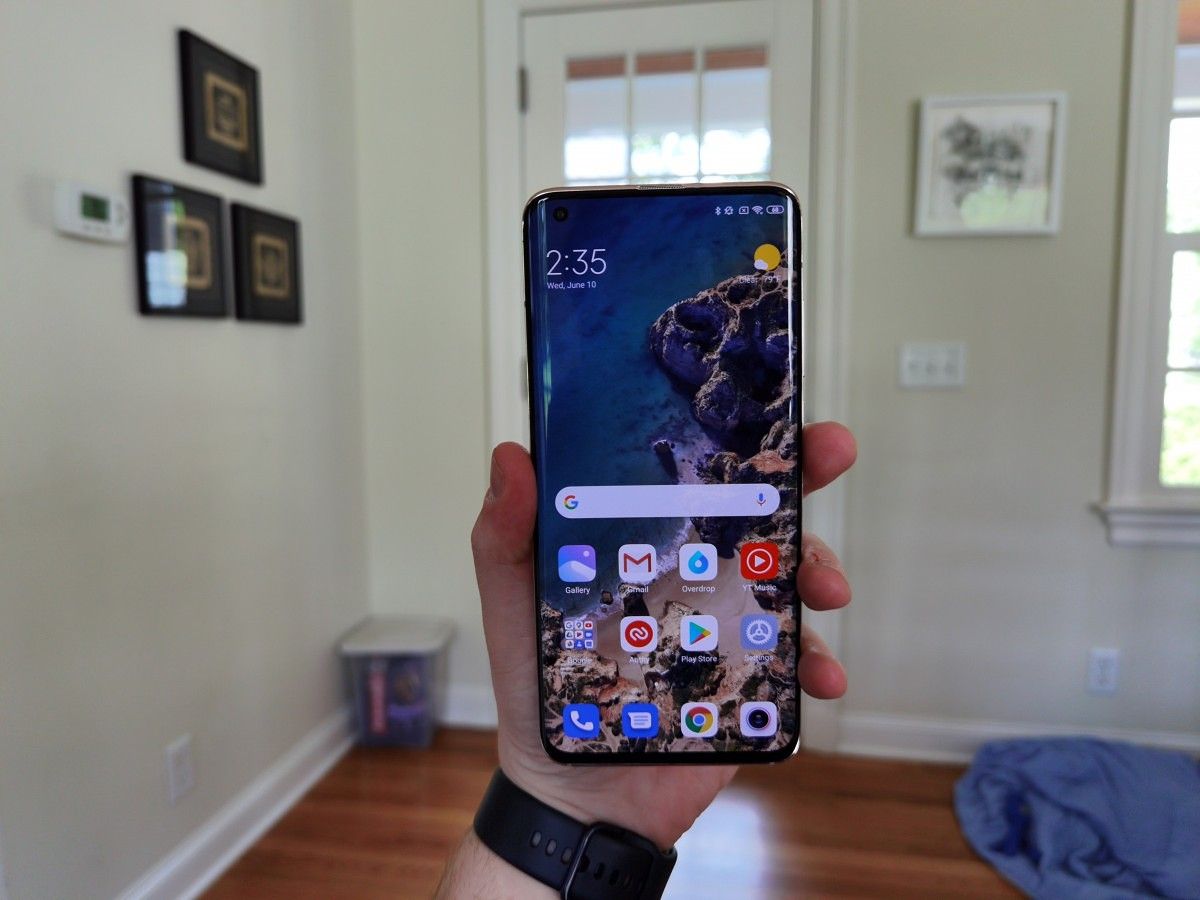
First up, the display. This is one of the places Xiaomi phones previously struggled. They were always good, but never great. Even on their flagships, they looked about average and didn’t really feel like flagship-level displays, but that was excusable at the much lower prices. This year, the price is much higher and as expected, the display quality is much better. So good, in fact, I would say this is one of the best displays on any phone.

Xiaomi Mi 10 Pro

This year, Xiaomi is using a curved FHD+ panel with a high refresh rate of 90hz and touch sampling rate of 180hz. This means everything will look smoother thanks to the high refresh rate and feel more responsive thanks to the faster touch sampling. This is all around a good improvement and something that is needed to keep Xiaomi in the running with other flagship phones this year.
Xiaomi Mi 10 Pro Xiaomi Mi 10 Pro Xiaomi Mi 10 Pro Xiaomi Mi 10 Pro

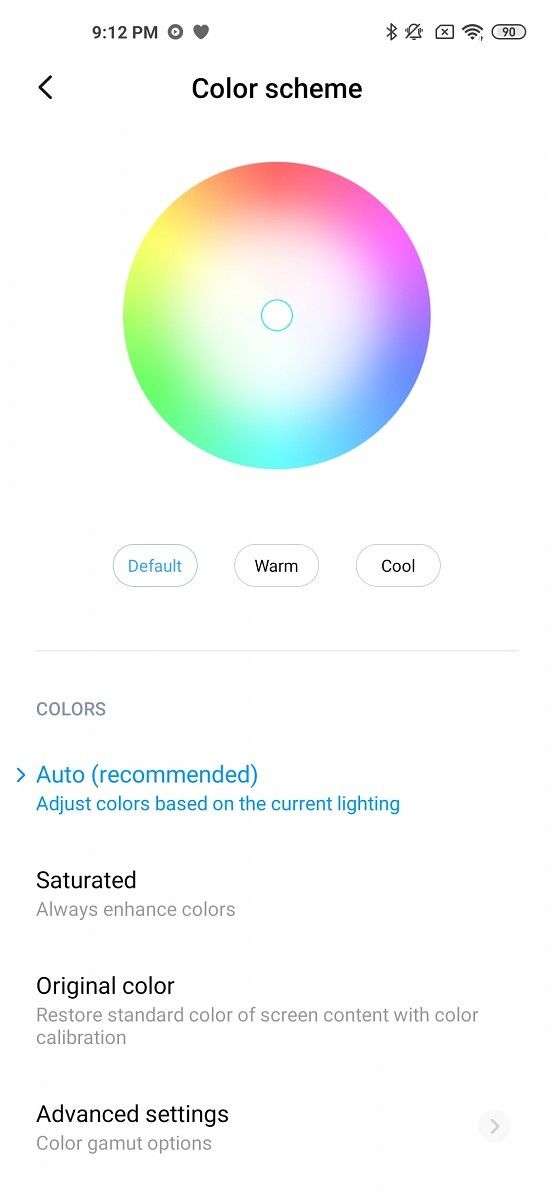
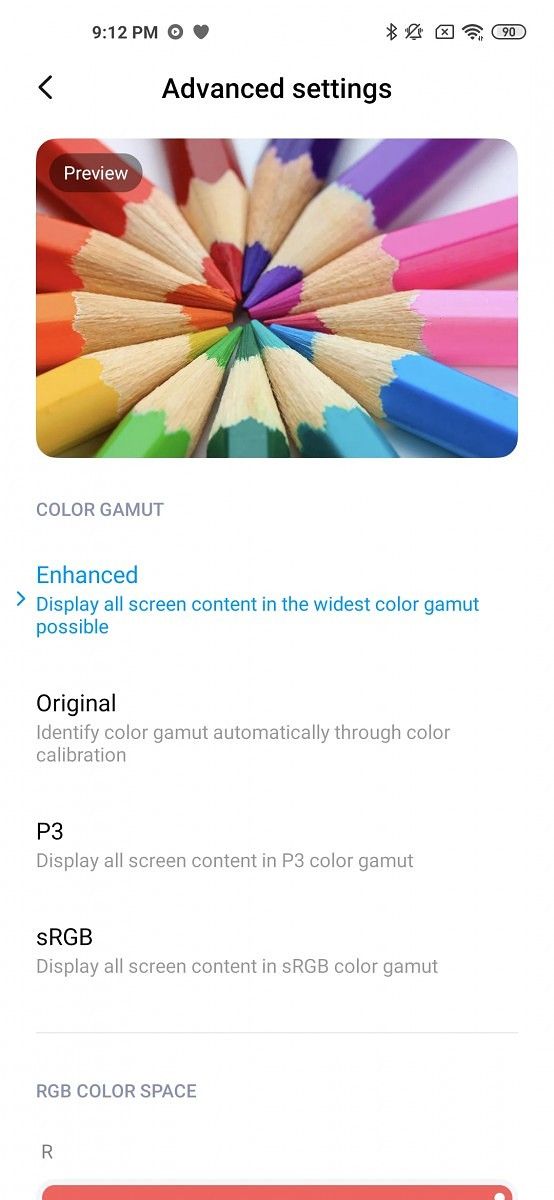
As for the colors, they look fantastic. I kept my phone in the “Auto” display mode because Xiaomi has some really great calibration in that mode. According to Xiaomi, the mode will “adjust colors based on current lighting.” Nothing gets overly saturated and it is nice to look at. The “Saturated” mode gets much more saturated. Every color really pops and I’d say it’s too saturated for my liking, but some people do like this. The other preset mode is “original color”. It gets a highly calibrated and accurate color mode. It’s not as nice to look at, but it will look good for those who prefer images to look true and flat, with no added punches. The last mode is a custom mode. There are a whole lot of settings, so you can really calibrate the display colors however you want.

I would give this display a nice A- rating. Why A-? Well, it’s because of two reasons, resolution and refresh rate. They cut down on refresh rate and resolution because 90hz and FHD+ are both decent. The combination helps save cost and battery. 120hz and WQHD+ would just be nice improvements, especially at the price Xiaomi is asking it for. I know it’s nitpicking, the display is fantastic but those two improvements would have been nice to see. If Xiaomi wants to compete at the top, it needs to be at the top, and 90Hz FHD+ is not the top, even though it remains practical.


Hardware

The Xiaomi Mi 10 Pro has some of the best internal hardware on the market. It’s running the Qualcomm Snapdragon 865 with the X55 5G modem. This device only supports mid/low band 5G and no mmWave. That is perfectly fine as the device isn’t launching in the US. In the countries it is launching in, it should support most 5G bands in use for the region. It has a 4,500 mAh battery with 50W wired charging and 30W wireless charging. Xiaomi claims the 50W wired charger should fill the battery in about 45 minutes and my tests find that this is true. The 30W wireless charger is obviously a bit slower, but not by much. It takes around 25 minutes to charge from 5% to 53% and around an hour to fill the battery. That is much faster than a lot of other flagship phones’ wired charging. Back to that in-box wired charger for a moment, it is actually a 65W charger that supports PD/PPS so you can use it to fast charge most laptops and tablets. This is a small detail but greatly appreciated. The single storage option is also pretty good. It has 256GBs of UFS 3.0 storage with 8GBs of LPDDR5 RAM. That is more than enough base storage and a good amount of RAM.

Xiaomi Mi 10 Pro

The camera setup is also pretty top-notch. The main sensor is the Samsung Bright HMX 108MP sensor. It has a sensor size of 1/1.33”, a pixel size of 0.8μm with 4-in-1 pixel binning to 1.6μm, f/1.69 aperture, and OIS. Unlike the Galaxy S20 Ultra, the Mi 10 Pro does pixel binning more conventionally, with 4 pixels instead of 9. There is also a 20MP ultra-wide at a 117-degree FoV along with a 12MP 2X optical and 8MP zoom lens with 10X hybrid zoom. It’s a pretty great setup. and I’ll get into more detail in a bit. Note that the rear camera setup is where the phone sets itself apart from the regular Mi 10.

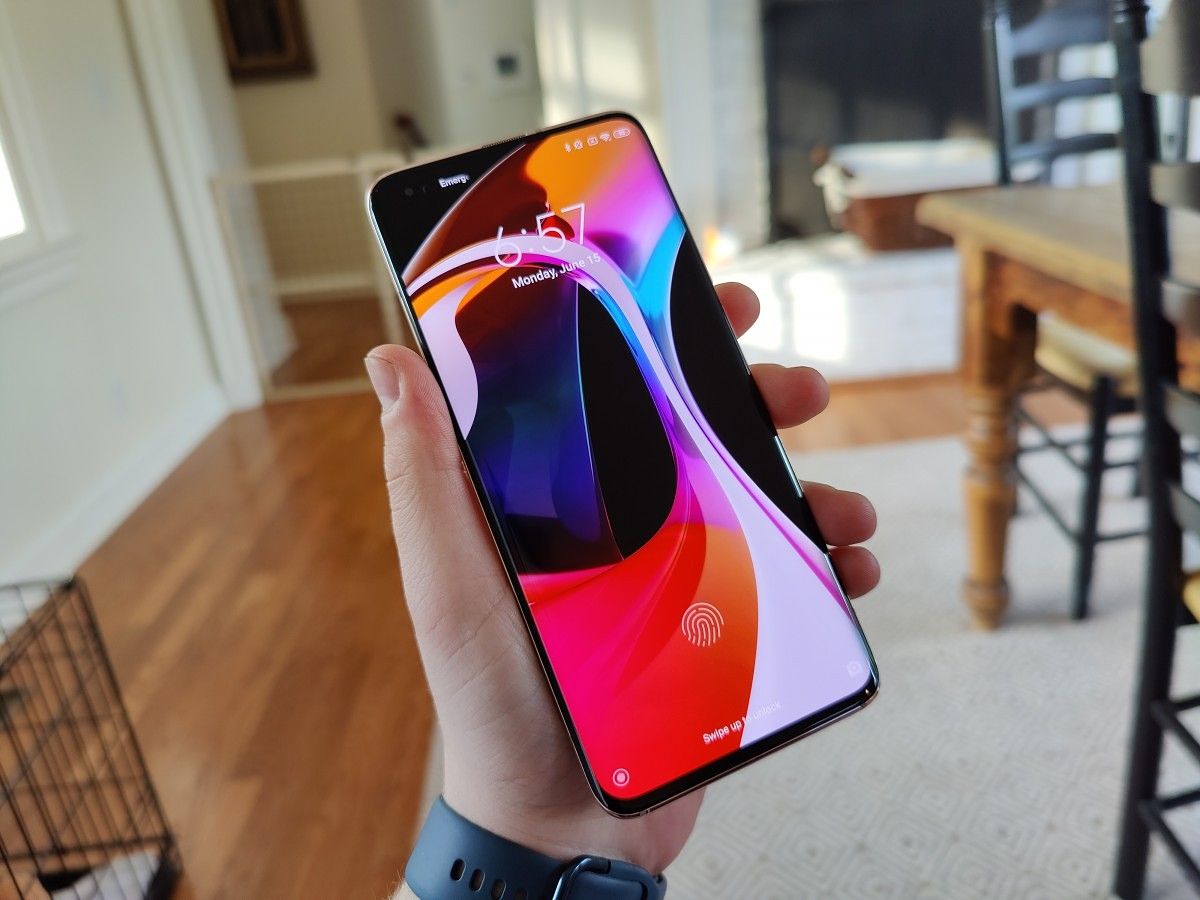
On the outside, the phone is absolutely fantastic. It has a 6.67-inch FHD+ display with HDR10+ and a 90hz refresh rate. The brightness on the display is pretty good at 500 nits average and 800 nits in high brightness made. It is a curved display, but it isn’t too curved. It’s definitely a comfortable curve, though. There are little to no issues with palm rejection as well. It’s all around really great.

Xiaomi Mi 10 Pro Xiaomi Mi 10 Pro

The body of the phone is aluminum and the back and front are Gorilla Glass 5. It comes in two colors, Alpine White and Solstice Grey. The rear glass on both devices has a matte texture with a slight color shift depending on the lighting. The unit Xiaomi sent me was the Alpine White unit and it shifts between white, pink, red, and blue. It just looks absolutely fantastic.

Something else that has seriously improved about the Mi 10 Pro is the haptics. I would go as far as to say the haptics on this phone are better than on the OnePlus 8 and Pixel 4. They are precise and strong without making a table shake while getting a notification. Xiaomi also implemented them throughout the entire UI. When you hit the top or bottom of a page while scrolling, you’ll get a light haptic buzz to let you know that you can’t scroll any longer. It’s little things like this throughout the UI that just make it feel complete.

There are a lot of absolutely fantastic parts of this phone, and for a Xiaomi flagship, that’s pretty impressive.


Audio

Normally I don’t talk about audio quality in reviews. I’m not an audiophile and I’m not too versed in audio quality. What I am versed in is phones. I’ve used so many phones over the years, and every year, one can hear the improvements in speaker quality. That improvement has plateaued in basically every phone expect two, the Galaxy Fold and Xiaomi Mi 10 Pro. These two phones have one thing in common that makes them so much better than every other device: symmetrical speakers.

Symmetrical speakers are my favorite thing about this phone, if I’m being honest. They get super loud and sound really good. These are the best speakers on any phone I’ve ever heard. Better than the iPhone, better than the Galaxy Fold, better than the Pixel 4 XL. Xiaomi absolutely nailed them. I tried to record a video of the speakers, which is above, but it doesn’t do complete justice to the speakers. They are truly fantastic. I’d say they are even better than my 2020 iPad Pro, which also has fantastic speakers. It’s just incredible.

The microphone is also really good. My experience with Xiaomi phones has been mostly negative in the microphone department. I usually find them to be really bad for anything but phone calls. The Mi 10 Pro changes that. These new microphones are, once again, fantastic. They sound accurate and do a great job of getting good voice accuracy and not sounding tinny. While I was talking to my friends on Houseparty, they told me the Mi 10 Pro had the best sounding microphone out of all of the flagships I asked them to compare, those being the OnePlus 8 Pro, the Huawei P40 Pro, the Samsung Galaxy S20 Ultra, and the iPhone 11 Pro Max. It’s really impressive to come out on top against such a heavyweight lineup!

This was honestly shocking to me, but I’m glad Xiaomi focused on it. The Xiaomi Mi 9 and Mi Mix 3, the previous two Xiaomi flagships I used, had bad microphones and speakers. They were disappointing for expensive phones. I’m so glad Xiaomi not only improved them but made them better than any other phone OEM.


Camera

As I mentioned in the hardware section, the main shooter of this camera is the 108MP Samsung Bright HMX sensor. Xiaomi was the first OEM to use this sensor in the Xiaomi Mi Note 10. On that phone, it was all around fine. It wasn’t particularly good or particularly bad. It was all-around average, which was fine for the price since the Mi Note 10 was cheaper. The Xiaomi Mi 10 Pro is a much more expensive phone and, of course, a flagship. The main sensor, and all the others at that, do not disappoint and are actually really great.

Uncompressed Mi 10 Pro Photo Samples

So first off the main sensor, this 108MP behemoth. The images you capture won’t actually be 108MP, unless you use the 108MP mode. They will be 25.2MP after using 4-in-1 pixel binning. Pixel binning basically takes a set of nearby pixels in a square and combines them into one larger pixel. So even though the individual pixels are very small, it is effectively a much larger pixel. This should result in better detail and better low light photography.

The results are really good. There’s a lot of detail and colors are mostly accurate and very appealing. You are able to zoom in and retain detail and clarity. HDR is pretty good but not crazy good. There is some work that can be done, but it’s not a huge deal. The detail in portrait pictures is great and there isn’t much skin smoothing once you turn off beauty mode. It’s not great for moving objects, though. I really haven’t been able to get any good pictures of my 3-month-old puppy. The white balance is always off and the images are all blurry. It’s a good all-around main sensor, but not without its issues.

The ultra-wide is also really good. It’s a 20MP sensor 117-degree FOV lens. It is definitely a good camera and I have no complaints about it. HDR and detail are good. There really aren’t any glaring issues with it, though I would have liked to see a bit more similarities between the colors of the main and ultra-wide lenses.


There are actually two zoom lenses, a 12MP short telephoto which is used for portrait shots. It’s all-around pretty good. Of course, it’s not as good as the main sensor but no telephoto really ever is. It’s great for portrait mode and for close range zoom. Once again, no real complaints about this camera. It’s pretty good, but there’s always room to bring it up to par with the main sensor.


Lastly for the rear, the long telephoto. It’s an 8MP sensor with a 3.76x optical zoom. It’s good to note this is NOT using a periscope camera setup. Using extra information from the main 108MP sensor, Xiaomi was able to get 10x hybrid zoom and 50x digital zoom. Like most cameras with ultra far zoom, it’s not great, but again, no phones with this type of zoom really are.


Xiaomi Mi 10 Pro Xiaomi Mi 10 Pro Xiaomi Mi 10 Pro

As for the front-facing camera, it’s pretty good. The photos aren’t super sharp but it does preserve a lot of detail and have minimal skin smoothing. It’s a pretty damn good looking selfie camera, and I really have no complaints about it. I do have complaints about the camera app, though. Beauty mode should not be enabled by default, it should be an option that you have to manually turn on.

All around, this isn’t a camera you can be disappointed by. It’s good, like most Xiaomi cameras. I’m not going to say it’s the best smartphone camera, as white balance and moving images have been common issues I’ve noticed. I mean sure, there are a few improvements you can make here and there but that’s not going to ruin the overall experience of the camera. It’s no worse than something like the Galaxy S20 Ultra, which I really like despite its flaws. The same goes for the camera on the Xiaomi Mi 10 Pro.


Xiaomi Mi 10 Pro Performance Analysis

Section contributed by Mishaal Rahman

The Xiaomi Mi 10 Pro is powered by Qualcomm’s Snapdragon 865 mobile platform, Qualcomm’s flagship-tier SoC announced at the end of 2019. The SoC features an octa-core CPU in a 1-3-4 core configuration; 1x ARM Cortex A77 core clocked at up to 2.84GHz is joined by 3x ARM Cortex A77 cores clocked at up to 2.4GHz and finally, 4x ARM Cortex A55 cores clocked at up to 1.8GHz. For graphics, the Snapdragon 865 packs Qualcomm’s Adreno 650 GPU. TSMC fabricates the Snapdragon 865 using its 7nm (N7P) foundry process. Compared to the previous generation Snapdragon 855 found in the Mi 9 series, the Snapdragon 865 enables 25% faster CPU performance, 20% faster graphics rendering, and 35% more power efficiency in graphics rendering.

Other important components to note that contributes to the day-to-day performance include the Xiaomi Mi 10 Pro’s LPDDR5 RAM module (up to 12GB) and UFS 3.0 storage module (up to 512GB). LPDDR5 RAM brings faster memory speeds at a lower power consumption than the previous generation LPDDR4X specification thanks to features like DVFS, Deep Sleep Mode, DQ Copy, and WriteX. Universal Flash Storage, or UFS, is a storage standard designed for flash storage devices that are commonly used in mobile devices. UFS 3.0 promises significant improvements in theoretical sequential read and write speeds with over double the bandwidth per lane compared to the previous generation UFS 2.1.

With that in mind, the Xiaomi Mi 10 Pro is expected to perform very well in synthetic benchmarks and in real-world performance. However, there are a myriad of factors that affect the actual performance because OEMs like Xiaomi don’t simply clone Qualcomm’s reference hardware and software. On the software side, OEMs tune things like the CPU and GPU schedulers, memory controller, and file system. On the hardware side, OEMs design their products to have a balance between heat dissipation and aesthetics. To help dissipate heat in the Mi 10 Pro, Xiaomi boasts a “VC Liquid Cooling” system consisting of a large vapor chamber, 6-stack graphite layer, and heat-transmitting gel. While that means the Mi 10 Pro is equipped for extended gaming sessions, does that translate to great performance in spite of MIUI?

”Quick

  • AndroBench: AndroBench is a fairly old benchmark with an equally dated design, but it’s still the go-to for storage testing. It tests the speed of sequential read/write, random read/write, and SQLite insert, update, and delete operations. A sequential read/write is an operation that involves reading/writing storage blocks that are contiguous, while a random read/write involves reading/writing randomly scattered storage blocks. SQLite describes a type of database management system; developers dealing with large databases often have to make SQLite calls to retrieve or modify the database. We can get a good idea of the storage performance of an Android device with AndroBench. By default, the benchmark writes a 64MP file with either 32MB or 4KB buffer sizes for sequential and random read/writes respectively, and an SQLite transaction size of 1. The speed of the former operation is measured in MB/s while the latter in Queries Per Second (QPS).
  • AnTuTu: This is a holistic benchmark. AnTuTu tests the CPU, GPU, and memory performance, while including both abstract tests and, as of late, relatable user experience simulations (for example, the subtest which involves scrolling through a ListView). The final score is weighted according to the designer’s considerations.
  • GeekBench: A CPU-centric test that uses several computational workloads including encryption, compression (text and images), rendering, physics simulations, computer vision, ray tracing, speech recognition, and convolutional neural network inference on images. The score breakdown gives specific metrics. The final score is weighted according to the designer’s considerations, placing a large emphasis on integer performance (65%), then float performance (30%), and finally, crypto (5%).
  • GFXBench: Aims to simulate video game graphics rendering using the latest APIs. Lots of onscreen effects and high-quality textures. Newer tests use Vulkan while legacy tests use OpenGL ES 3.1. The outputs are frames during test and frames per second (the other number divided by the test length, essentially), instead of a weighted score. Aztec Ruins: These tests are the most computationally heavy ones offered by GFXBench. Currently, top mobile chipsets cannot sustain 30 frames per second. Specifically, the test offers really high polygon count geometry, hardware tessellation, high-resolution textures, global illumination and plenty of shadow mapping, copious particle effects, as well as bloom and depth of field effects. Most of these techniques will stress the shader compute capabilities of the processor.
  • PCMark 2.0:  Tests the device as a complete unit. It simulates everyday use cases that can implement abstract algorithms and a lot of arithmetic; the difference is that these are dispatched within an application environment, with a particular practical purpose, and handled by API calls and Android libraries common to multiple applications. The test will output a variety of scores corresponding to the various subtests, which will be detailed below; the composite, Work 2.0 score is simply the geometric mean of all of these scores, meaning all tests are weighted equally.
    • Web browsing 2.0 simulates browsing social media: rendering the web page, searching for the content, re-rendering the page as new images are added, and so on. This subtest uses the native Android WebView to render (WebKit) and interact with the content, which is locally stored — this means you can run it offline, but it does not simulate web browsing fully as it rules out internet connection factors (latency, network speed). It is specifically tracking frame rates and completion time across seven tasks, with their score being a multiple of their geometric mean.
    • Video Editing simulates video editing performance: applying effects to a video using OpenGL ES 2.0 fragment shaders, decoding video frames (sent to an Android GLSurfaceView), and rendering/encoding the video in H.264/MPEG-4AVC at several frame rates and resolutions up to 4K. It is specifically tracking frame rates on the UI, except for a final test tracking the completion time of a video editing pipeline.
    • Writing simulates general document and text editing work: adding or editing texts and images within a document, copying and pasting text, and so on. It uses the native Android EditText view as well as PdfRenderer and PdfDocument APIs. It will open compressed documents, move text bodies, insert images in the document, then save them as a PDF, to then encrypt and decrypt them (AES). It specifically tracks task completion times for the processes of opening and saving files, adding images and moving text bodies, encrypt/decrypt the file, and render the PDF pages on ImageViews.
    • Photo Editing simulates photo-editing performance: opening images, applying different effects via filters (grains, blurs, embossing, sharpening, and so on) and saving the image. It uses 4MP JPEG source images and manipulates them in bitmap format using the android.media.effect API, android.renderscript API’s RenderScript Intrinsics, android-jhlabs, and the native android.graphics API for drawing the process on the screen. This is an extremely comprehensive test in that it will be impacted by storage access, CPU performance, GPU performance, and it is dependent on many different Android APIs.  The test specifically measures memory and storage access times, encoding and decoding times, task completion times. The various filters and effects come from different APIs.
    • Data manipulation simulates database management operations: parsing and validating data from files, interacting with charts, and so on. It will open (date, value) tuples from CSV, XML, JSON files, and then render animated charts with the MPAndroidChart library. It specifically tracks data parsing times as well as draws per second of each chart animation (similar to frame rate, but specific to the updating chart).


We’ll start off with GFXBench. To test the Xiaomi Mi 10 Pro’s sustained GPU performance (and in addition, the battery life) over time, we ran the Manhattan 3.1 long-term performance/battery test. This is a graphically intensive onscreen test that runs at the phone’s native resolution (1080p) and at maximum brightness. The Mi 10 Pro rendered at least 4645 frames through 30 iterations of the test. GFXBench estimates the battery would last 193 minutes, or a little over 3 hours, if it were to continuously run the test. That means you can expect at least 3 hours of continuous gameplay on the most demanding Android game you can think of with the screen bumped up to max brightness. What’s more, is that the performance shouldn’t fluctuate very much; the Xiaomi Mi 10 Pro’s rendered between 4645-4654 frames throughout the 30 iterations of the test, so the variation was quite small. The battery temperature rose from about 27 degrees to about 37 degrees Celsius, which may feel uncomfortable but likely not hot. Keep in mind, though, that the baseline temperature will depend on where you live.

For good measure, we also ran the Sling Shot Extreme test in 3DMark (which is written using the OpenGL ES 3.1 API). This is another highly intensive, but shorter, test that pushes the GPU to its limits. The Xiaomi Mi 10 Pro scored within the top 1 percent of all devices with an overall score of 7061 and a graphics score and physics score of 8210 and 4739 respectively.

Mi 10 Pro

Next up is PCMark 2.0 and the Work 2.0 performance test. The Xiaomi Mi 10 Pro scored 11463 overall, which is about 800 points lower than the score of the Snapdragon 865 Qualcomm Reference Device. The Xiaomi Mi 10 Pro outperforms the Qualcomm Reference Device in the Video Editing and Data Manipulation tests but underperforms the QRD in the Web Browsing, Writing, and Photo Editing tests. Keep in mind that the QRD is tuned for performance and as such, represents the pinnacle of what the Snapdragon 865 can accomplish.

In AndroBench, the Xiaomi Mi 10 Pro outperforms the 865 QRD in all the key areas: sequential and random read/writes. This suggests that Xiaomi’s optimizations to the file system have been beneficial to the storage performance. While the improvements don’t mean much in the real world, the Xiaomi Mi 10 Pro proves to be a champ in reading and writing files to storage. This has benefits in-app launching speeds, image saving, and more areas.

In Geekbench 5, the Xiaomi Mi 10 Pro underperforms the 865 QRD in both the single-core and multi-core CPU scores, but only slightly. The device boasts impressive numbers in all key tests, including cryptographic, integer, and floating-point calculations. The powerful CPU in the Snapdragon 865 proves to be a boon in retro console emulation including that of the Nintendo GameCube, Wii, and 3DS. The high single-core performance also means that single-threaded tasks, which are quite common in simple Android apps, will be performed quite quickly.


Lastly, the Xiaomi Mi 10 Pro posts a high score in the popular AnTuTu benchmark. The Mi 10 Pro bests the 865 QRD thanks to superior performance in the memory and UX tests.


Final Thoughts

Trying to decide if phones are “worth it” is hard. There are a few parts to it, the price to performance, the device to device competition, the experience of using the phone, and so much more. The price to performance ratio on this phone is good, but this year has been expensive for flagships in general. Xiaomi has incredible audio and fast charging, a pretty good but not breathtaking display, and a not-bad camera. Comparing device to device, it is highly competitive with most other phones at the €999 price. The experience of using this phone is absolutely fantastic.

When talking about modern smartphones, it’s really hard to say which phones are the best. Each flagship has a different trade-off in a different part that is more or less meaningful to different people. For example, the OPPO Find X2 Pro has an amazing display and super-fast charging, but no wireless charging. In comparison, the Galaxy S20+ has wireless charging but the camera is a little less than perfect. The Huawei P40 Pro has an incredible camera, but no Google apps. It’s all about the trade-offs about the device and what you value most about the phone you are getting.

If you value audio quality, fast wired and wireless charging, good battery life, overall great but not fantastic cameras, and a good display, this phone is for you. If any of those points are what you aren’t really digging, I highly recommend checking out other options. There are a lot of great phones right now that might be a better fit.

Xiaomi Mi 10 Pro France || Xiaomi Mi 10 Pro Ireland || Xiaomi Mi 10 Pro Germany

Mi 10 Pro Worldwide (TradingShenzhen) || Mi 10 Pro Worldwide (Banggood) || Mi 10 Pro Worldwide (AliExpress) 

The post Xiaomi Mi 10 Pro Review: Xiaomi’s best phone yet! appeared first on xda-developers.


from xda-developers https://ift.tt/2Nj245b
via IFTTT

samedi 20 juin 2020

The TCL 10 5G and TCL 10L are likely coming to T-Mobile as the REVVL 5G and REVVL 4+

The TCL 10L and 10 Pro are great mid-range smartphones if you live in the U.S. because they’re available at affordable prices while delivering decent hardware and software experiences. Both phones are currently available directly from TCL in the but the TCL 10L may soon launch on T-Mobile under the REVVL branding. In addition, the upcoming TCL 10 5G may also launch on T-Mobile as a new REVVL device.

T-Mobile REVVL is a smartphone brand consisting of white-label devices from OEMs like Motorola and TCL. The REVVL brand started in 2017 with the first REVVL and REVVL Plus which were made by TCL. The second-generation REVVL 2 and REVVL 2 Plus were also made by TCL while the third-generation REVVLRY and REVVLRY+ were rebrands of Motorola’s Moto G7 Play and Moto G7 Plus respectively. Now, it seems that the fourth-generation T-Mobile REVVL devices will be made by TCL once again.

T-Mobile REVVL 4+

As first spotted by PhoneScoop, the Bluetooth SIG filing for the TCL 10L was recently updated to list the “REVVL 4+” with model number 5062Z/5062W. There’s also an FCC filing for model names 5062W and 5062Z which confirms the phone has the same ~4000mAh battery found in the TCL 10L. A separate document confirms that the phone supports the following frequencies:

  • GSM: 850/900/1800/1900
  • WCDMA Band: 1/2/4/5
  • LTE Band: 1/2/3/4/5/7/8/12/13/20/25/26/28/38/39/40/41/66/71

The phone also supports 2.4GHz Wi-Fi 802.11b/g/n and 5GHz Wi-Fi 802.11a/n/ac, Bluetooth 5.0, FM, and NFC. Lastly, the filing says that “LTE band 40 is not available in the US market and Canada market” which suggests the phone will be available in the US and Canada, although in Canada it will likely retain the TCL 10L name. Both the TCL 5062Z and 5062W have also been certified by the Wi-Fi Alliance, but the filings don’t reveal much.

The TCL 10L

T-Mobile REVVL 5G

More interesting is the filing for the T-Mobile REVVL 5G. A new device was just added to the list of Google Play certified devices. The device has the name “REVVL 5G” with code-name “seattle_5G” and model name “T970W.” It’s powered by the Qualcomm Snapdragon 765G, 6GB of RAM, has an FHD+ display at 2340×1080 resolution, and runs Android 10. According to the Bluetooth SIG, T790Y is the model name for the TCL 10 5G. The Bluetooth SIG filing also says the design name of T970W is “Seattle GL.” Thus, it’s likely that the REVVL 5G is just a rebranded version of the TCL 10 5G for T-Mobile.

The TCL 10 5G


With these new devices going through all the required regulatory steps before launching, it’s possible they’ll launch pretty soon, but as usual, we don’t have a definitive date quite yet.

The T-Mobile REVVL 5G with a Qualcomm Snapdragon 765G could be great competition for the Samsung Galaxy A71 5G especially if T-Mobile can keep the sub-$500 price tag of the TCL 10 5G. The T-Mobile REVVL 4+, on the other hand, will make for a decent all-around affordable mid-ranger if T-Mobile can keep the $250 price tag. Both devices have a lot going for them in terms of hardware, but let’s just hope that T-Mobile can keep up with the updates. TCL, for their part, have committed to one major Android OS update and 2 years of security updates.

TCL 10L Forums ||| TCL 10 5G Forums

TCL 10L, TCL 10 Pro, TCL 10 5G: Specifications

Specifications TCL 10L TCL 10 5G
Dimensions & Weight
  • 162.2 x 75.6 x 8.4 mm
  • 180g
  • 163.65 x 76.56 x 9.05 mm
  • 210g
Display
  • 6.53-inch LCD LTPS Dotch display
  • FHD+ 2340 x 1080 resolution
  • 395 ppi
  • 19.5:9 aspect ratio
  • 91% screen-to-body ratio
  • 1500:1 contrast ratio
  • Dedicated display engine
  • Real-time SDR to HDR conversion
  • Gorilla Glass 3
  • Top left hole punch
  • 6.53-inch LCD LTPS Dotch display
  • FHD+ 2340 x 1080 resolution
  • 395 ppi
  • 19.5:9 aspect ratio
  • 91% screen-to-body ratio
  • 1500:1 contrast ratio
  • Dedicated display engine
  • Real-time SDR to HDR conversion
  • Top left hole punch
SoC Qualcomm Snapdragon 665:
  • 4x Kryo 260 Gold @ 2.0GHz
  • 4x Kryo 260 Silver @ 1.8GHz

Adreno 610

Qualcomm Snapdragon 765G:
  • 1x Kryo 475 Gold Prime @ 2.4 GHz
  • 1x Kryo 475 Gold @ 2.2 GHz
  • 6x Kryo Silver @ 1.8 GHz

Adreno 620

RAM & Storage
  • 6GB RAM + 64GB EMMC
  • 6GB RAM+ 128GB UFS

Micro SD card, up to 256GB

  • 6GB RAM + 128GB

Micro SD card, up to 1TB

Battery & Charging
  • 4,000 mAh
  • 4,500 mAh
  • Quick Charge 3.0, 18W (50% in 35 minutes)
Rear Cameras Photo:
  • Primary: 48MP S5KGM1, f/1.8, 1/2.25″ sensor, 0.8µm pixels
  • Secondary: 8MP GC8034, super-wide-angle, f/2.2, 1/4″ sensor, 1.12µm pixels
  • Tertiary: 2MP GC2385, macro, f/2.4, 1/5″ sensor, 1.65µm pixels
  • Quarternary: 2MP GC2385, depth, f/2.4, 1/5″ sensor, 1.65µm pixels

Video:

  • 4K @ 30fps
  • 1080 @ 120fps
  • 720p @ 240fps
Photo:
  • Primary: 64MP, f/1.9, 1/1.72″ sensor, 0.8µm
  • Secondary: 8MP, super-wide-angle, f/2.2, 1/4″ sensor, 1.12µm pixels
  • Tertiary: 5MP, macro, f/2.2, 1/5″ sensor, 1.12µm pixels
  • Quarternary: 2MP, depth, f/2.4, 1/5″ sensor, 1.75µm pixels

Video:

  • 4K/1080p/720p @ 30 fps
  • 1080p/720p @ 60fps
  • 1080p/720p @ 120fps
  • 1080p/720p @ 240fps
  • 720p @ 480fps
Front Cameras 16MP S5K3P9SP04, f/2.2, Single Hole Punch 16MP, f/2.2, Single Hole Punch
Other Features
  • Rear fingerprint scanner
  • NFC
  • Bluetooth 5.0, Super Bluetooth
  • Wi-Fi: 802.11b/g/n for 2.4GHz
  • Wi-Fi: 802.11a/n/ac for 5GHz
  • Smart key
  • Rear fingerprint scanner
  • NFC
  • Bluetooth 5.0, Super Bluetooth
  • Wi-Fi: 802.11a/b/g/n/ac, 2×2 MIMO
  • Smart key
Audio
  • Audio chipset: WCD9370
  • Audio amplifier: NXP TFA9890
  • 3.5mm audio jack
  • Bottom firing mono speaker
  • Super Bluetooth
  • 3.5mm audio jack
  • Bottom firing mono speaker
  • Super Bluetooth
Android Version TCL UI based on Android 10 TCL UI based on Android 10
Price &
Availability
Q2 2020:
  • Europe – €249
  • North America – $249
  • United Kingdom – £199
  • Australia
Select Regions at €399/£399

Featured image: the TCL 10L

The post The TCL 10 5G and TCL 10L are likely coming to T-Mobile as the REVVL 5G and REVVL 4+ appeared first on xda-developers.


from xda-developers https://ift.tt/3hLYNcU
via IFTTT

RAVPower 65W PD GaN Charger Review – One USB-C Port, One USB-A port means even greater versatility

If you’re anything like me, you probably carry a number of different chargers in your bag at any given time. I talked about that a little bit when I reviewed the RAVPower 61W PD GaN plug and mentioned how it was able to reduce the number of plugs I carried in my bag. Now the RAVPower 65W PD GaN reduces the number of plugs I carry in my bag yet again, as it packs not just a USB-C port, but a USB-A port as well. It’s only a small bit larger than the 61W PD GaN charger we already reviewed and is much smaller than both the MacBook Pro charger and the Nintendo Switch chargers I previously carried in my bag.

About this review: : I received the RAVPower 65W PD GaN from RAVPower at the end of May 2020. While I received this product for review from RAVPower, they did not have any input in the contents of this review. 

The RAVPower 65W PD GaN charges two of everything

Just like the previous charger we reviewed from RAVPower, the 65W PD GaN also charges practically everything. With the aid of its USB-A port though, it charges two of everything, even if it can’t quite reach those insane 65W charging speeds from the USB-A port. It gets up to 18W maximum charging speed from the USB-A port, which is still equivalent to Qualcomm QuickCharge 2.0 and will charge the Nintendo Switch at full speed. I typically keep the USB-C port for charging my MacBook, as it’s capable of much faster speeds than the USB-A port. Note that the RAVPower 65W PD GaN does not come with a USB-C to USB-C cable, and that you’ll need to provide your own. The USB-A port is for devices like older iPhones and Samsung smartphones. You can read more about RAVPower’s iSmart charging tech here. Please note that it does not support Qualcomm QuickCharge.

The RAVPower 65W PD GaN is slightly bigger than the 61W charger that we already reviewed, though not by much. The US version of the plug can also fold in its prongs on itself to be even more compact – a luxury that I sadly don’t get with the UK plugs that we use in Ireland. Still, there is one major downside here. Just like with the previous RAVPower charger, this won’t quite reach the fastest charging speeds that a MacBook Pro is capable of. MacBook Pros charge at 87W, though 65W is perfectly respectable and will still charge your device extremely quickly.

Just like last time around, the RAVPower 65W PD GaN will power the Nintendo Switch dock and will charge the Nintendo Switch to full in approximately 3 hours. It will also charge the OnePlus 8 Pro with USB Power Delivery at 15W, while the Google Pixel 4 will charge at 18W using USB Power Delivery.

RAVPower 65W PD GaN Pricing

The RAVPower 65W PD GaN comes in at £45.99 on Amazon UK. As I mentioned in our review of the RAVPower 61W – that seems like a steep price, until you consider that the MacBook Pro’s 61W charging brick comes in at £69.99, a price that still manages to exclude the cable.  A Nintendo Switch charger does admittedly cost only £24.99 with a cable, but its use case is rather one dimensional coming in at just 15W. If you needed a new MacBook Pro charging brick – or even just a charging brick for USB PD-charged devices – the RAVPower 65W PD GaN would be perfectly apt for the job, and the USB-A port adds even more to an already good deal. If you’re interested, you can pick it up from RAVPower’s own site or Amazon from the links below.

Amazon U.S. | RAVPower’s website

Note: We use plugins that automatically generate affiliate links.

The post RAVPower 65W PD GaN Charger Review – One USB-C Port, One USB-A port means even greater versatility appeared first on xda-developers.


from xda-developers https://ift.tt/3hNPDwb
via IFTTT
Download the HTC Desire 20 Pro’s wallpapers in Full HD resolution!

The HTC Desire 20 Pro was announced earlier this week (along with the U20 5G), and it’s got people talking about HTC again. The last true mainstream device that was actually made by the company was the Desire 12s in late 2018. HTC was the original Android OEM, so it’s great to still see new Android smartphones from the company. If you’re liking the look of the Desire 20 Pro, we’ve got the matching wallpapers from the device.

Recent Android fans may not be familiar with HTC, but they used to make some of the best Android software. Their wallpapers were pretty slick, too. The images below were extracted by us from the firmware for the Desire 20 Pro and they have been resized and compressed, but if you see something you like, we’ve got the full 2340×2340 resolution images available to download in a ZIP file below.

htc desire 20 pro htc desire 20 pro htc desire 20 pro htc desire 20 pro htc desire 20 pro htc desire 20 pro htc desire 20 pro

Download HTC Desire 20 Pro HD Wallpapers (ZIP)

Specification HTC Desire 20 Pro
Dimensions and Weight
  • 162 x 77 x 9.4mm
  • 201g
Display
  • 6.5″ FHD+ LCD;
  • 19.5:9 aspect ratio
  • Punch-hole display
SoC Qualcomm Snapdragon 665 SoC
RAM and Storage
  • 6GB + 128GB
  • Expandable through microSD card slot
Battery & Charging
  • 5,000 mAh battery
  • Quick Charge 3.0
Rear Camera Photo:
  • Primary: 48MP, f/1.8
  • Secondary: Wide-Angle Camera, 8MP, f/2.2, 118° FoV
  • Tertiary: Depth Sensor, 2MP, f/2.4
  • Quaternary: Macro, 2MP, f/2.4

Video:

  • 4K video recording
Front Camera 25MP, f/2.0
Other Features
  • 3.5mm headphone jack
  • Rear fingerprint scanner
  • Multi-function NFC
  • Dual-frequency GPS
  • Bluetooth 5
  • Wi-Fi 802.11 a/b/g/n/ac (2.4GHz, 5GHz)
Android Version Android 10

The post Download the HTC Desire 20 Pro’s wallpapers in Full HD resolution! appeared first on xda-developers.


from xda-developers https://ift.tt/30VpkOS
via IFTTT

vendredi 19 juin 2020

Realme Android TV 43″ Review: Tough Competition for the Mi TV

For a two-year-old brand, Realme has acquired recognition and success much faster than any of its competitors. The India-born start-up – conceived by the Chinese smartphone giant OPPO – has made its way into the top smartphone brands of India and the entire world. This monumental growth is a result of Realme’s swiftness and youthful vigor with which it has been diving into different categories of consumer technology. Although the brand has primarily been known for smartphones, it has been steadily moving into lifestyle tech with products such as wireless and truly wireless earphones, fitness trackers, or even some non-tech utilities like backpacks and tote bags. It also intends to more tech products such as smart speakers, soundbars, and more to improve its lineup of IoT products. Last month, Realme entered another new category and introduced two new budget Android TV models.

Buy on Flipkart: Realme TV 32″ (₹12,999) ||| Realme TV 43″ (₹21,999)

Realme’s Android TV lineup debuted with two models – a 32″ HD-ready model and a 43″ Full HD model. Apart from the differences in terms of the display size and resolution, both of the Realme TV models are identical. They feature the same internal hardware, input-output ports, similar tuning of the display, and native support for OTT apps like Netflix and Amazon Prime Video.

Realme TV: Review Summary

Pros

  • Saturated color reproduction
  • Good contrast
  • 178º wide viewing angles
  • Options to customize picture and sound
  • Ergonomic remote
  • HDR10 support allows Netflix titles to be played in HDR

Cons

  • Unimpressive audio quality and lack of bass
  • Occasional lag and jitter
  • No dual-band Wi-Fi
  • Power cable not detachable

Realme TV 43″: Specifications

Specification Realme TV 43″
Display
  • 43-inch panel
  • 1920 x 1080 pixels
  • LED-backlit Vertical Alignment (VA) LCD panel
  • 16:9 aspect ratio
Processor
  • MediaTek SoC
  • 4 x Cortex A53
  • Mali 470 MP3 GPU
RAM 1GB
Storage 8GB
Audio
  • 24W output
  • 2 x full-range speakers
  • 2 x tweeters
I/O & Connectivity
  • 3 x HDMI ports
  • 2 x USB 2.0
  • Digital Audio out
  • LAN port
  • 3.5mm jack for AV input (converter included in the box)
  • IR receiver
  • 2.4GHz Wi-Fi
  • Bluetooth 5.0
Interface Android TV UI based on Android 9 Pie

About this review: Realme loaned us the 43-inch variant with a Full HD panel for this review and the observations in this review are indicative of the same – but not for the lower-end model – as there might be a difference in terms of its performance in spite of the similarities in the hardware. These observations have been made after nearly two weeks of using the Realme TV.


Build and Design

The Realme TV comes with an unintrusive design. It features a slim profile, measuring 8 cm in terms of thickness along the thickest part. The Realme TV sports the common black-colored outfit, and its slim profile is complemented by really lean bezels which measure less than a centimeter in thickness.

realme android tv 43 inch smart tv hdr10 LED LCD panel

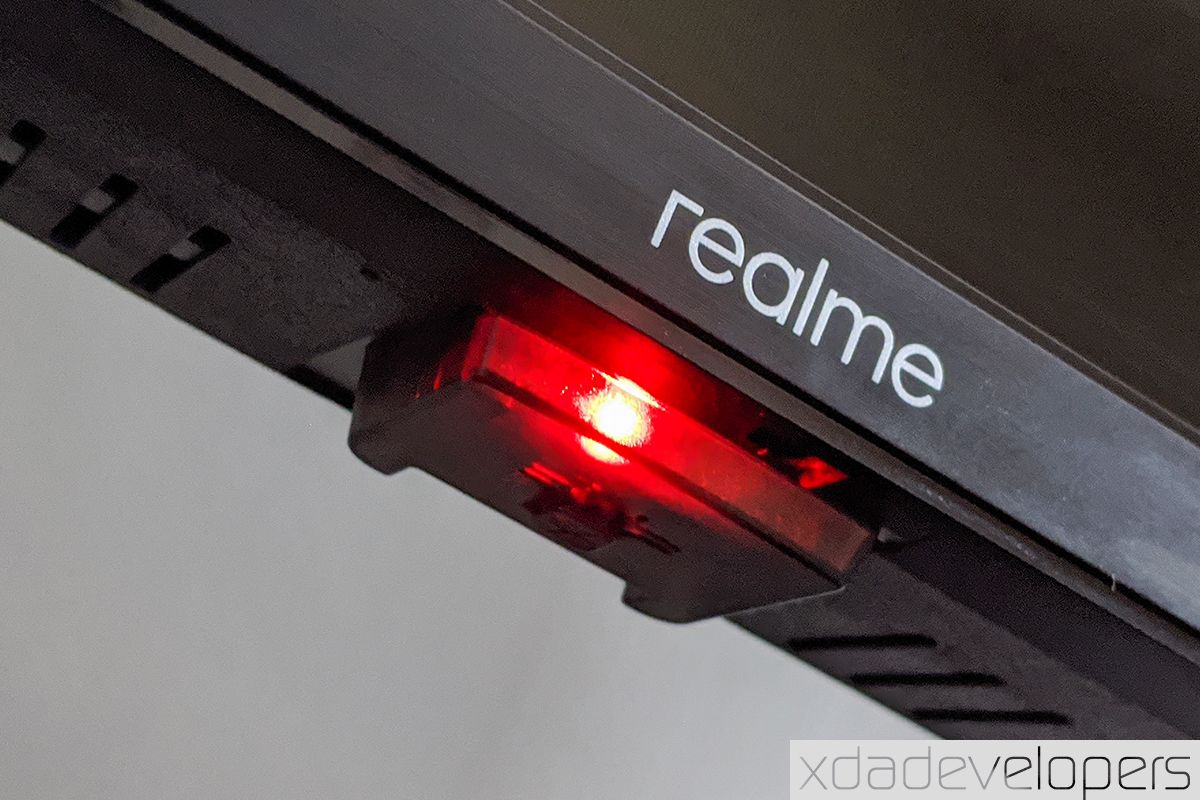
The Realme logo lies at the center of the chin bezel of the TV and underneath it is a tiny compartment housing the infrared receiver and a red LED that beams when the TV is either switched off or on standby. At the bottom of this compartment is a button-switch for power and it’s the only physical button on the TV.

realme tv side profile realme android led tv power button

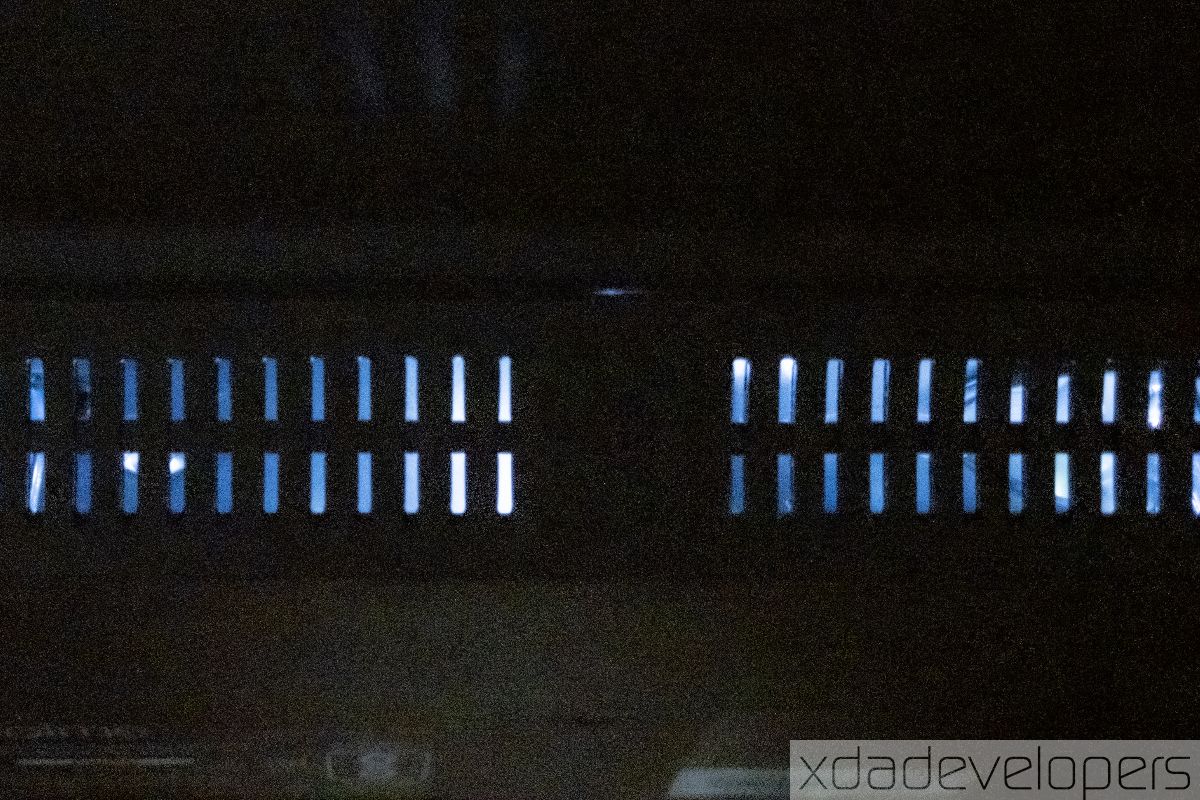
The back of the Realme TV is made of solid polycarbonate plastic. The plastic – although plain and lackluster – feels very durable and doesn’t flex a bit unless you apply a lot of pressure. There are a series of slits on the back – perhaps to vent the heat out – and the panel’s backlight can be seen emitting out of these slits.

The Realme TV 43-inch is less than a meter long and the distance between the two legs is 90cm (3 feet). The fork-shaped legs of the Realme TV come with rubber cushions underneath so as to prevent the plastic legs from scratching the tabletop you place the TV on, as well as to let it be less prone to sliding. However, the TV is easily jolted if you nudge it by mistake because the legs aren’t long enough, nor do they have sufficient contact with the surface. That can potentially be an issue if you have kids or pets in the house; hence, mounting the TV is the only possible solution to the issue. You can order a standard 20 x 20 cm wall mount which has to be paid for separately.

Both Realme TV models use a bottom-firing stereo speaker setup with a combined output of 24W. Each side features a full-range speaker and a tweeter for clarity in commentary and dialogues.

There is no flexing or bending anywhere in the body of the Realme TV 43″, which indicates attention to quality in spite of the affordable pricing. The bigger Realme TV weighs only about 7kg and can be easily lifted or installed. Overall, the build of the Realme TV justifies its price.


Display

The bigger Realme TV model is equipped with a Full HD display with an LED-backlit Vertical Alignment (VA) LCD panel. It measures 43-inches (108cm), as suggested by the name and this translates to a pixel density of only about 51ppi. As a characteristic of VA panels, the display has good contrast with much darker blacks as compared to an IPS panel. Realme claims a brightness value of 400 nits for this panel, which is very bright for most well-lit rooms. Adding to this, the display is not very reflective and any light source opposite of the TV should not hinder your viewing experience.

realme android led smart tv

From about a meter (3.3ft) or more, the display appears very smooth and detailed, especially when you’re right in front of it. Interestingly, the Realme TV has great viewing angles of 178º, which is very impressive – and unusual – for a VA panel. This implies that Realme could be using a “wide-angle VA panel”, a technology that can be considered an intermediate between a pure VA and an IPS panel.

There is an observable color shift and reduction in saturation while viewing the TV at extreme angles but it doesn’t hinder the viewing experience. Furthermore, there is no extreme reduction in brightness as we see on standard VA panels.

realme tv va panel ips viewing angles 178 degrees

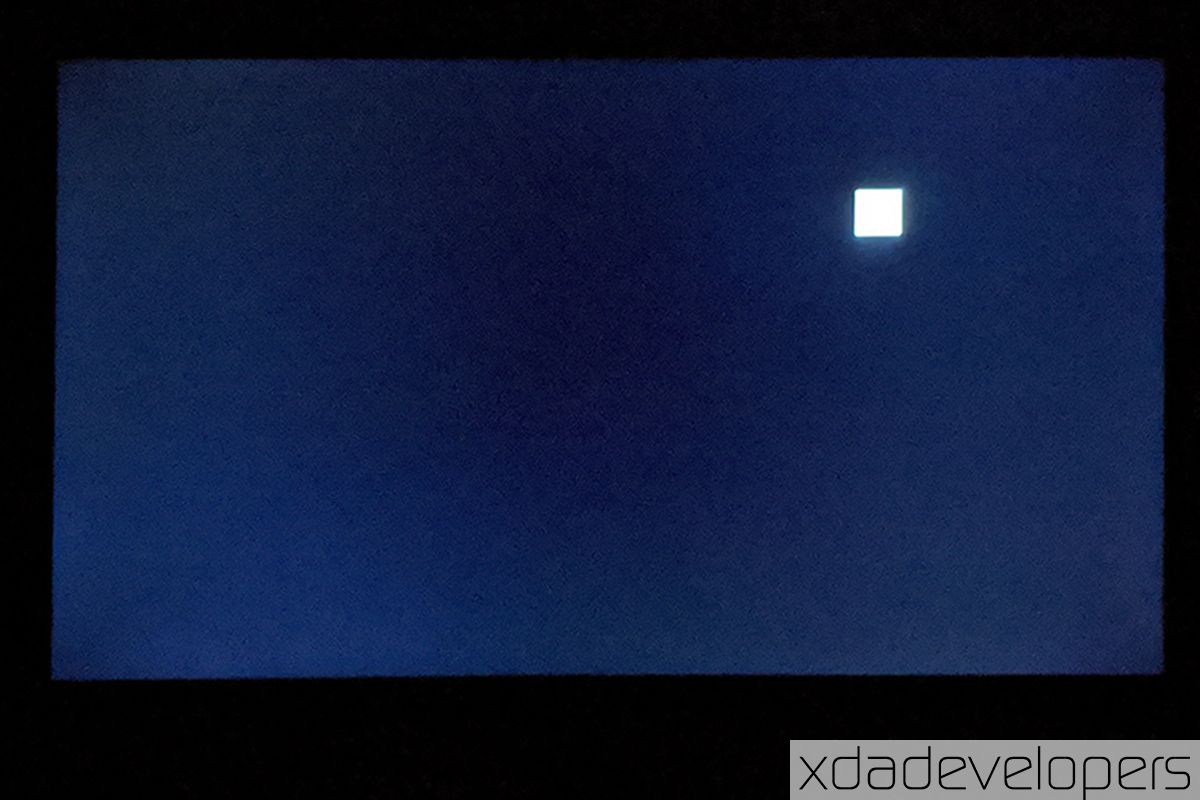
The grays on the display appear uniform at high brightness. But at low brightness, the nonuniformity becomes more evident and you can see the brighter spots along the left and the right edges of the display while the center is relatively dimmer. Being edge-lit, the display does not support local dimming as confirmed by the test below.

The Realme TV 43″ is very good in terms of general color reproduction. The colors are really punchy and produce a really pleasing visual experience together with the high contrast of the VA panel. Other than claiming that the display supports 16.7 million colors, there’s no claim in terms of popular color gamuts like NTSC or DCI-P3 – and to be fair, anyone spending just about ₹22,000 (~$290) on a smart TV is unlikely to bother themselves with those details.

Realme has applied its learning from smartphone photography to enhance the vibrancy of the display. Both the models come with Realme’s Chroma Boost engine for a saturated color output. Both the models are capable of playing HDR formats such as HDR10 and HLG by decoding them on the software level – even though the panel is not certified for HDR. Notably, HDR10 does enhance supported content on Netflix – sadly, not Amazon Prime Video since it requires at least HDR10+ to play HDR content – but can make the display darker than intended since it uses static metadata for HDR. Currently, there is no option to turn HDR on or off on the display.

Realme TV’s display offers good color contrast, saturation, surprisingly good viewing angles.

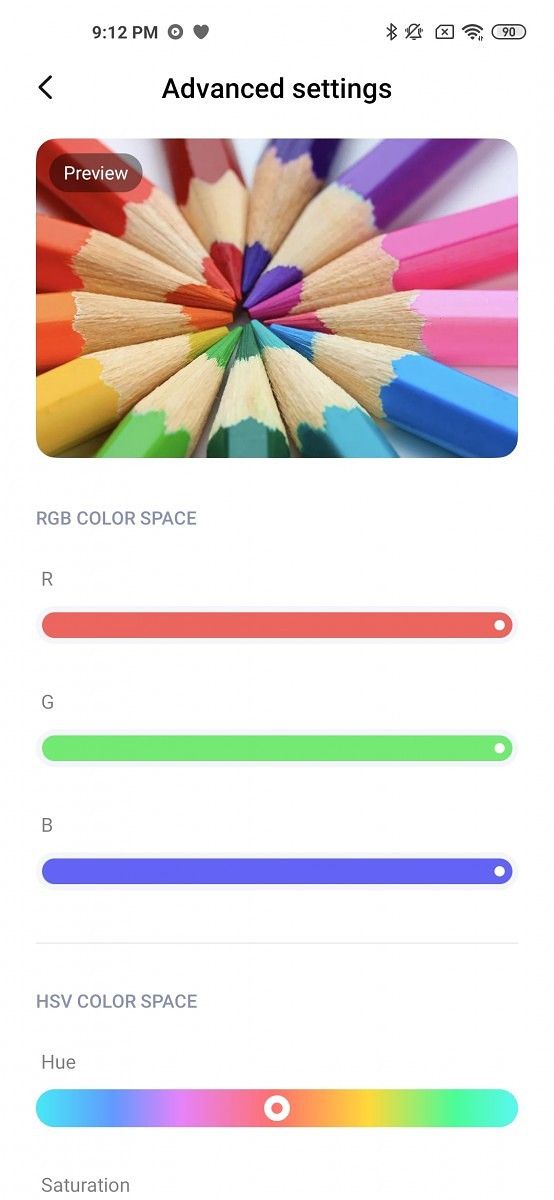
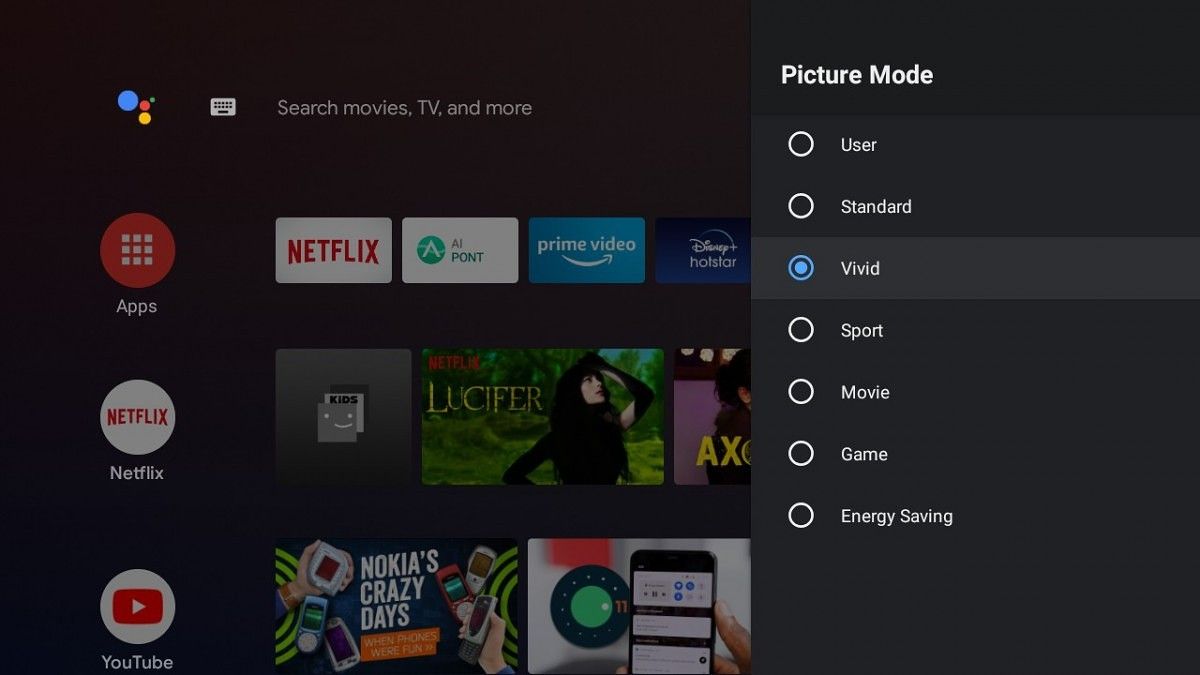
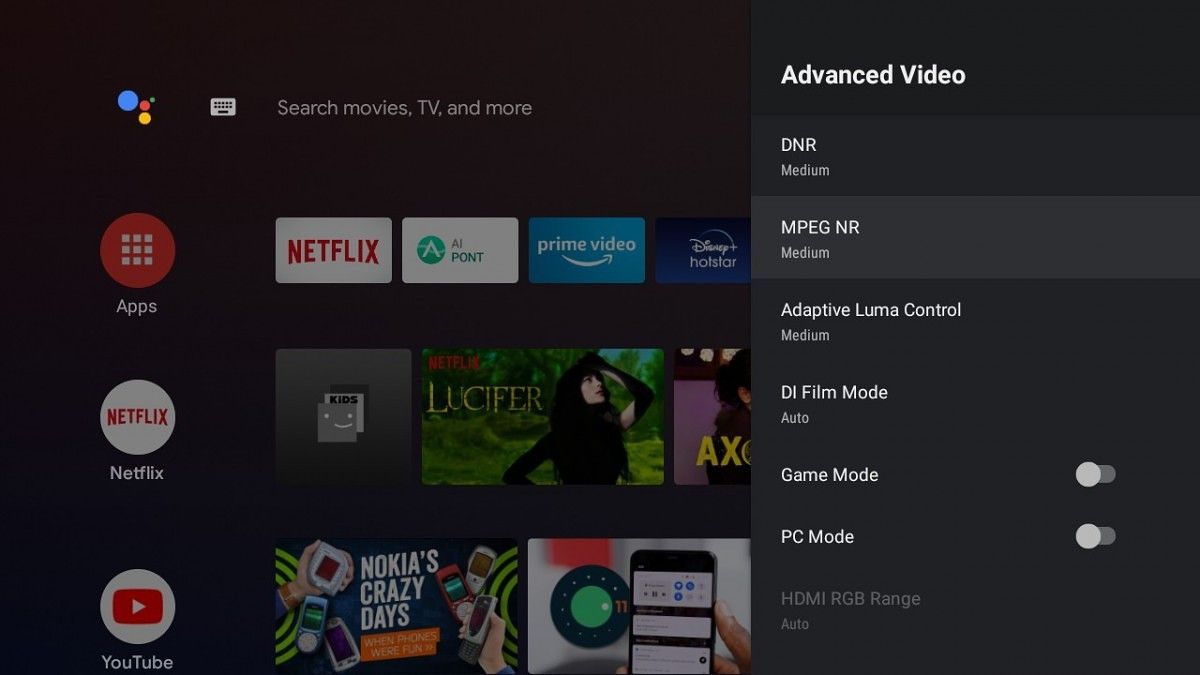
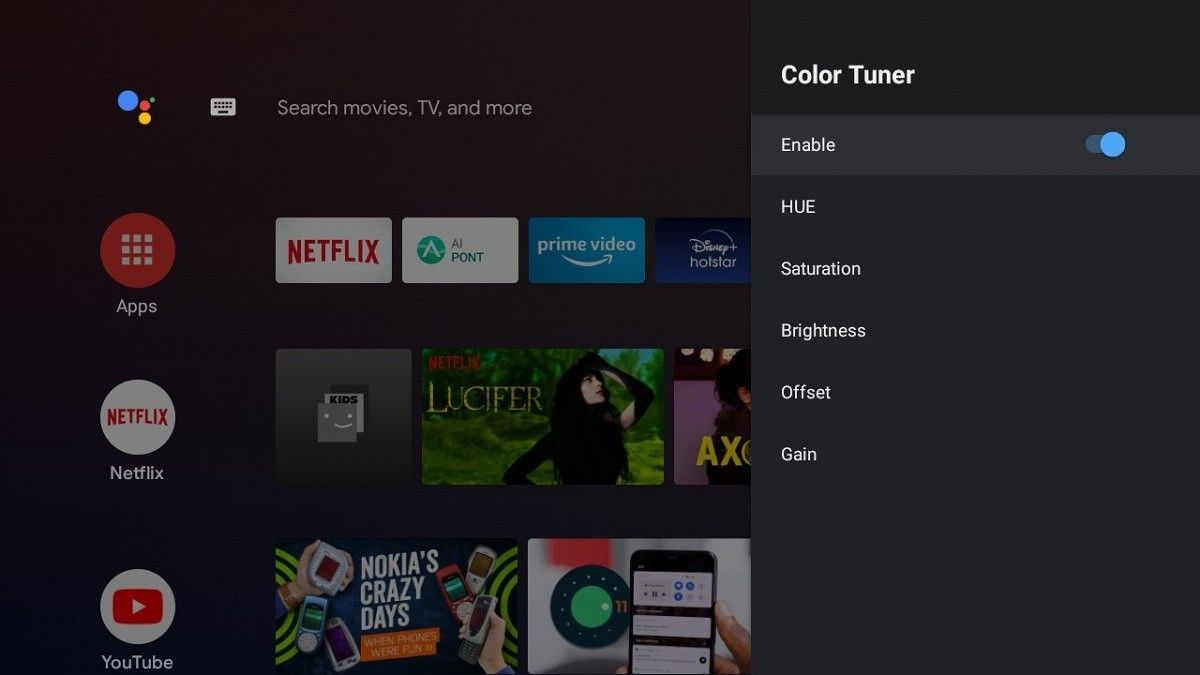
On the software level, Realme gives you the option to extensively tune the image quality and the colors of the display. Besides the range of display presets, you can fine-tune elements such as saturation or hue or adjust the white balance and the brightness per color. There is no frame rate upscaling (like MEMC) here, which I think could have been a practical addition since the panel supports 60Hz. But there are many options to enhance the picture quality, including:

  • DNR – which reduces or smoothens out visual noise
  • DI Film mode – which upscales movies (or 24fps content) to HD frame-by-frame
  • Adaptive Luma Control – which automatically adjusts brightness and contrast based on the content
  • Game mode – for shorter display response time

Overall, the display is reasonably good in terms of colors and brightness, even though a slightly brighter panel (or an option to turn HDR off) would improve the experience. Despite the low pixel density, you’ll not notice any distortion or noise unless you look at the display from very close by. The wide-angle VA panel allows for good saturation and contrast of a VA panel while also ensuring good viewing angles like an IPS panel – rewarding you with the best of both worlds. The display completely justifies the Realme TV’s price.


Audio

Realme has stocked both the Android TV models with dual-unit stereo speakers located at the bottom of the TV and hidden by a plastic grille. Each of these speakers assemblies consists of a full range speaker complemented by a tweeter for boosted treble and upper mid-range frequencies. This typically helps improve the clarity of speech in narratives and dialogues. Both of the channels are rated at 12W each, resulting in a combined output of 24W, which gives Realme an edge over competitors that utilize relatively less powerful speakers on their TVs in this price range.

realme android smart tv 24 watt speaker sound bar tweeter

While the full range speaker and the tweeter combined do result in a pretty loud and clear audio experience, the speakers distinctly perform poorly when it comes to bass. Instead of the bassy elements of any audio – a song like heavy or rumbling bass – you just hear a flattened sound without any reverb. On a standard frequency response test, the Realme TV’s inbuilt speakers are audible between 150Hz-16,000Hz.

Realme TV’s speakers are loud and clear but lack impactful bass.

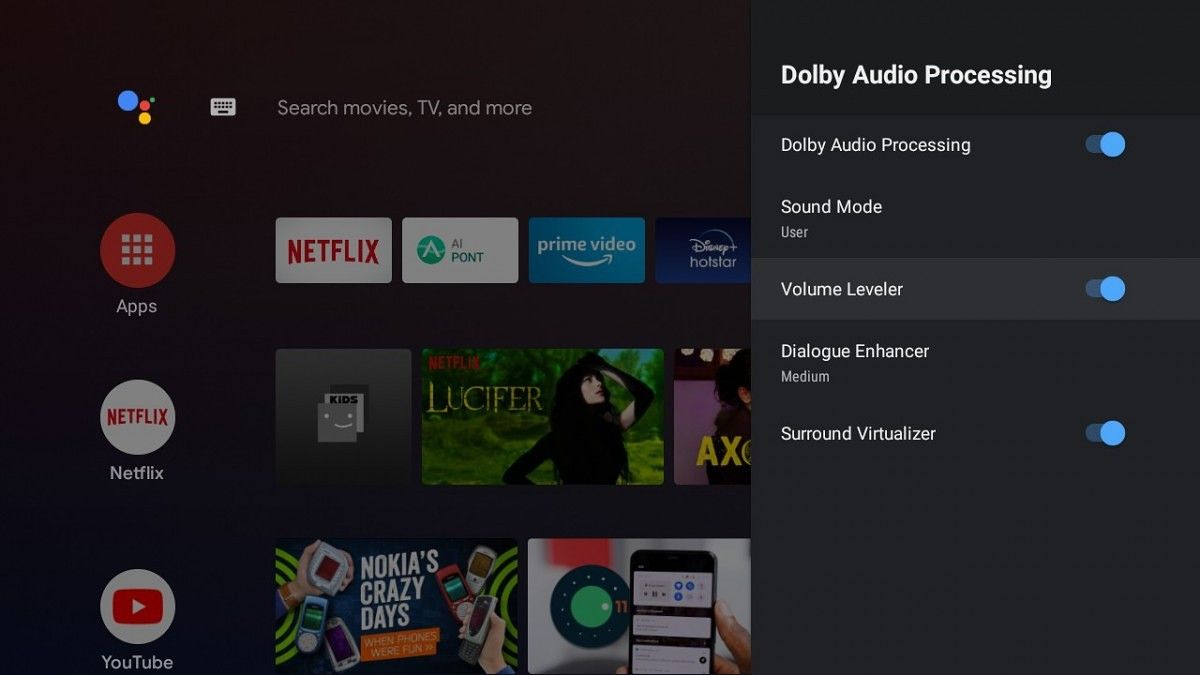
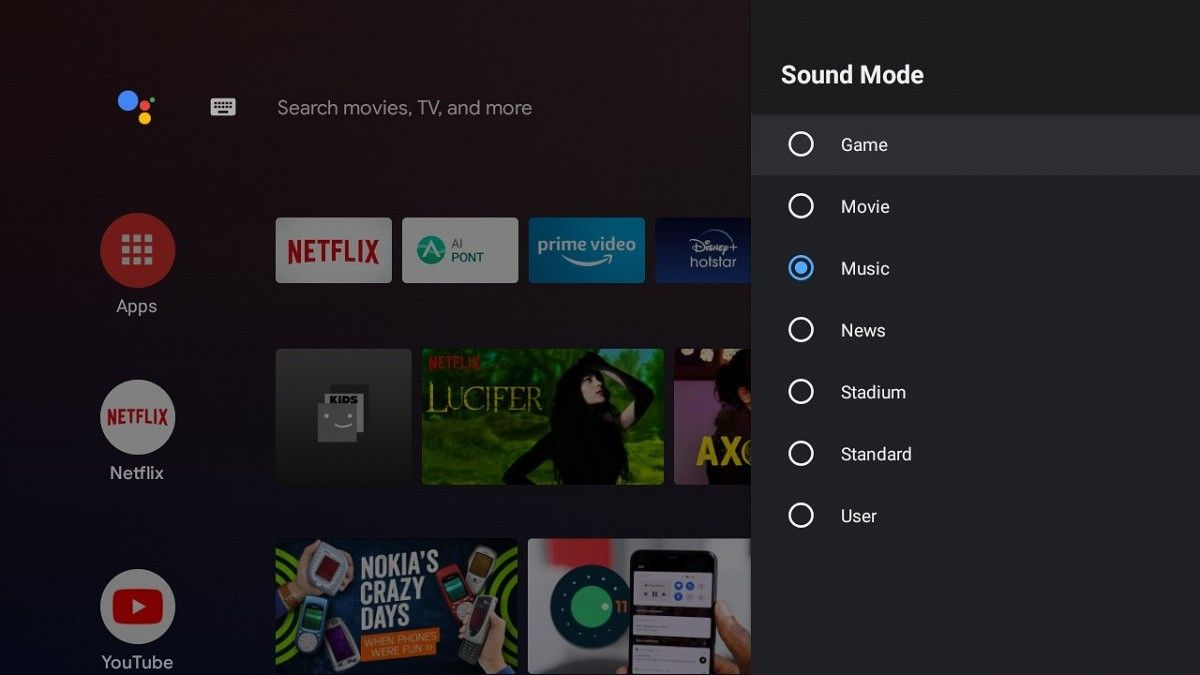
While the hardware does not feel very proficient, Realme has tried to make up for its deficiencies through software. Besides a range of audio presets, you get a 5-band equalizer and surround sound effect. The Realme TV also supports enhancements under Dolby Digital and you can choose from a range of Dolby Audio presets to optimize the audio experience to your liking. The addition of Dolby Digital helps significantly if you have an external audio setup attached to the TV.

The audio is clearly not one of Realme TV’s strongest points but Realme has already confirmed they will launch a 100W soundbar with a subwoofer soon. This could happen as early as in the month of July 2020 when Realme will also launch a 55″ “flagship” Android TV. The 43″ Realme TV also features an SPDIF port and that suggests the soundbar would also support the same.


User Experience

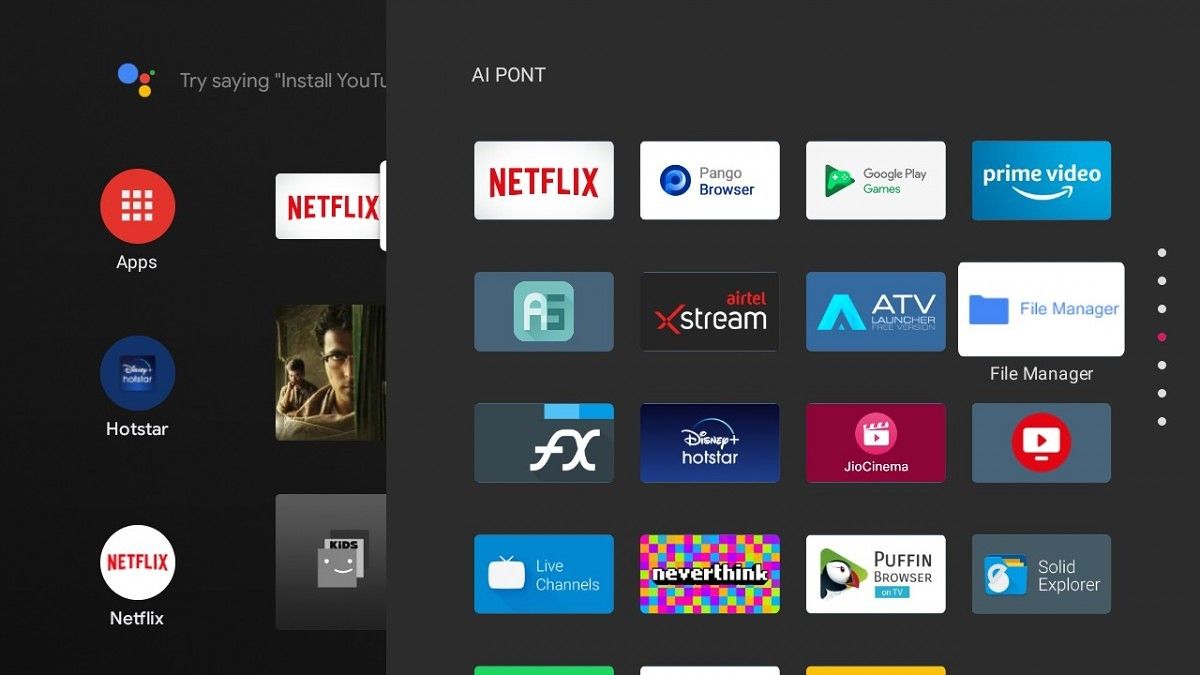
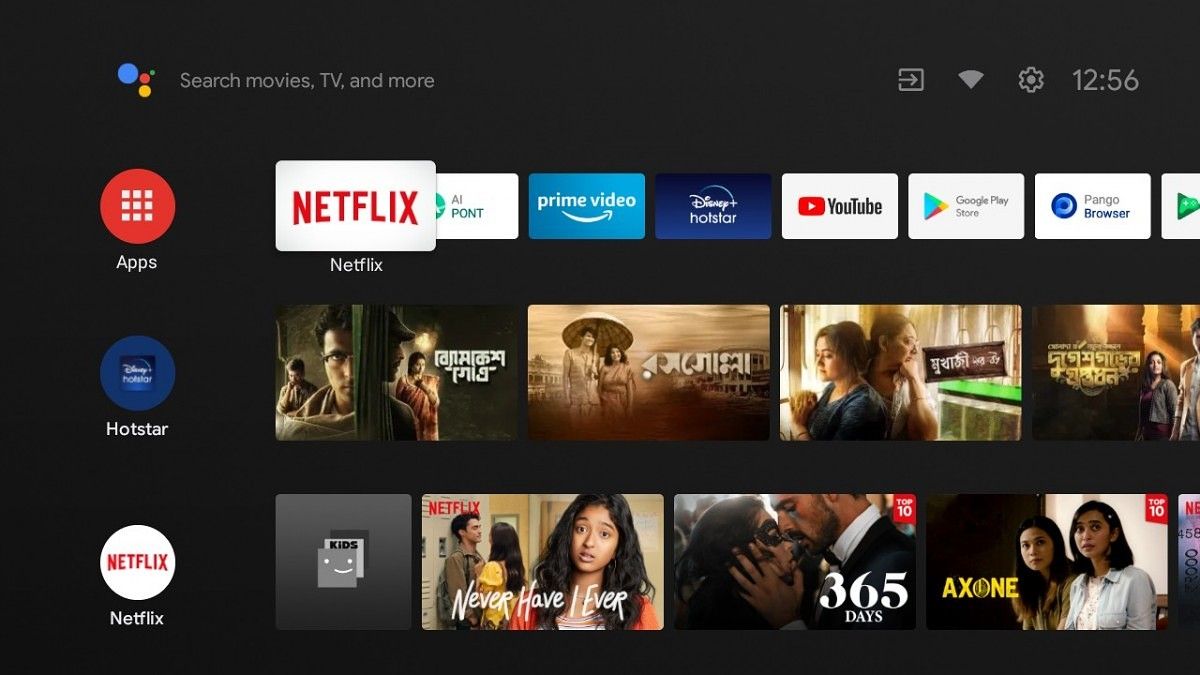
The Realme TV is furnished with stock Android TV Pie without any content discovery system like Xiaomi’s PatchWall or OnePlus’ OxygenPlay. This, as per Realme, is to empower users to exercise control over the content they wish to watch. A few apps such as Netflix, Amazon Prime, and a web browser called “Pango Browser” come pre-installed on the Realme TV. Realme has also added a tile for “AI Point” which is just a shortcut for an app drawer where you can access downloaded and sideloaded apps. There is no direct access button on the remote controller to access Android TV’s app drawer but you can do that by long-pressing the home button – although you will not see sideloaded apps here. Besides the extra options and settings mentioned under Display and Audio sections, there aren’t many customizations to the TV interface.

In terms of hardware, the Realme TV runs on a quad-core MediaTek chipset with four ARM Cortex A53 cores on the CPU and a Mali-470 MP3 GPU. Along with the MediaTek platform, the Android TV comes just 1GB of RAM and 8GB of internal storage. While the user experience is mostly smooth, the Realme TV has occasional performance stutters, especially while starting up, and when several apps are open at once. This feels like a limitation of the single gigabyte of RAM even though the RAM used here has a high 2133MHz frequency.

Performance is bottlenecked by a single GB of RAM.

I found out that limiting the number of active background apps to three or four from the Developer Options in the Android TV’s Settings can reduce this laggy behavior, but any user would have been at peace with 1.5GB or 2GB of RAM. Realme appears to have cut some corners to keep the price of the TV under check.

The Realme TV 43″ comes with a Widevine L1 certification and that allows Full HD playback on OTT apps including Netflix, Amazon Prime Video, Hotstar etc.
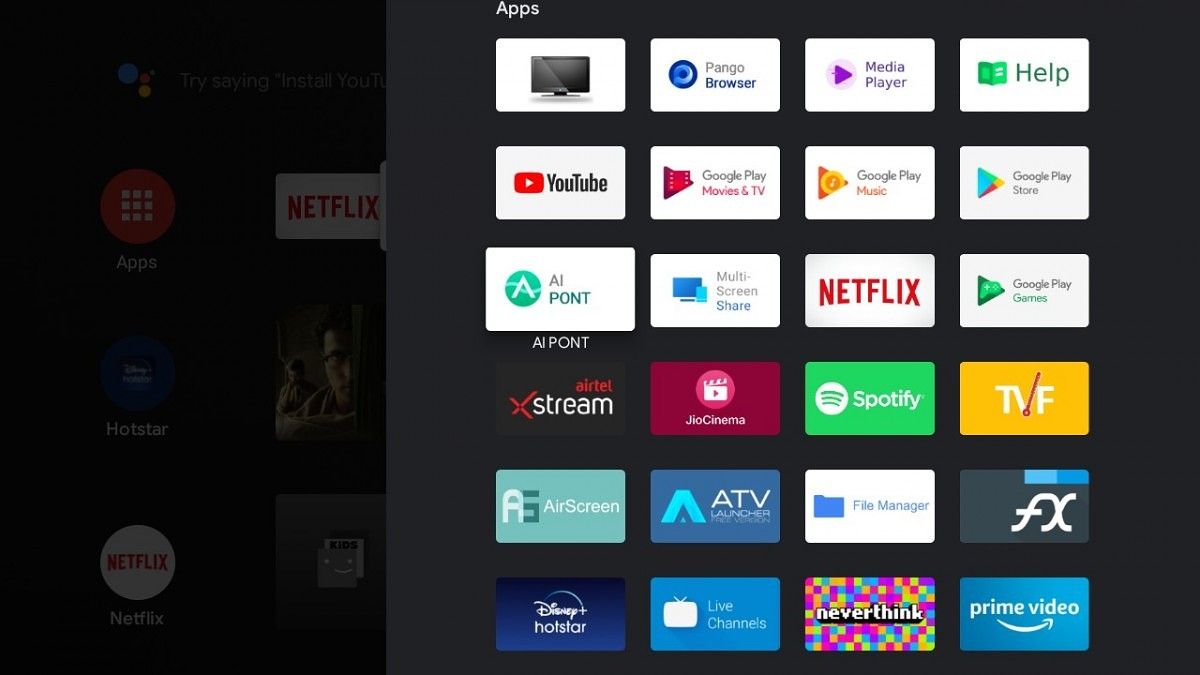
It is worth pointing out that Realme has disabled downloads on browsers and you will have to use a USB drive to play media or sideload apps. You can install Aptoide TV along with ATV launcher from the Play Store to remedy the latter.

Lastly, the Realme TV comes with Google Assistant support but there is a delay of 2-5 seconds every time you try to invoke or communicate with the Assistant. The Realme TV also has difficulty connecting and being controlled by Google’s Android TV Remote Control application – especially while using the keyboard input function in the app.

Android TV Remote Control (Free, Google Play) →


Remote

The remote bundled along with the Realme TV is lightweight and very ergonomic. Realme has opted for an airfoil design instead of symmetry so that remote is center-weighted and does not feel heavier on any one end. The thickness and curvature around the bottom also improve the grip.

Realme TV bluetooth remote infrared remote control

In terms of the layout, the Realme TV’s remote controller resembles the second version of the OnePlus TV remote, which was updated to add the Netflix button. The D-pad on the remote has also been accented with the typical yellow color from Realme’s branding. The remote comes with quick access keys for Netflix, Amazon Prime, YouTube. and Google Assistant. Unlike the usual vertical alignment, volume buttons on the Realme TV are placed horizontally and that might take some time to commit to muscle memory. The remote also comes with an in-line microphone

Realme TV remote is light, ergonomic, and pleasant to hold.

All of these buttons are made from a rubber-like material and feel nice upon touching. The matte-like texture of the Realme TV’s remote also adds to the pleasant feeling.

Realme TV bluetooth remote infrared remote control

The remote supports both – infrared and Bluetooth – for communicating with the TV. Communicating with the TV over IR is much slower as compared to Bluetooth and I strongly recommend ensuring the latter. If you connect the remote via Bluetooth, you can also see the percentage of charge left in the AAA batteries in the Accessories settings, which is a neat addition.


Connectivity and I/O

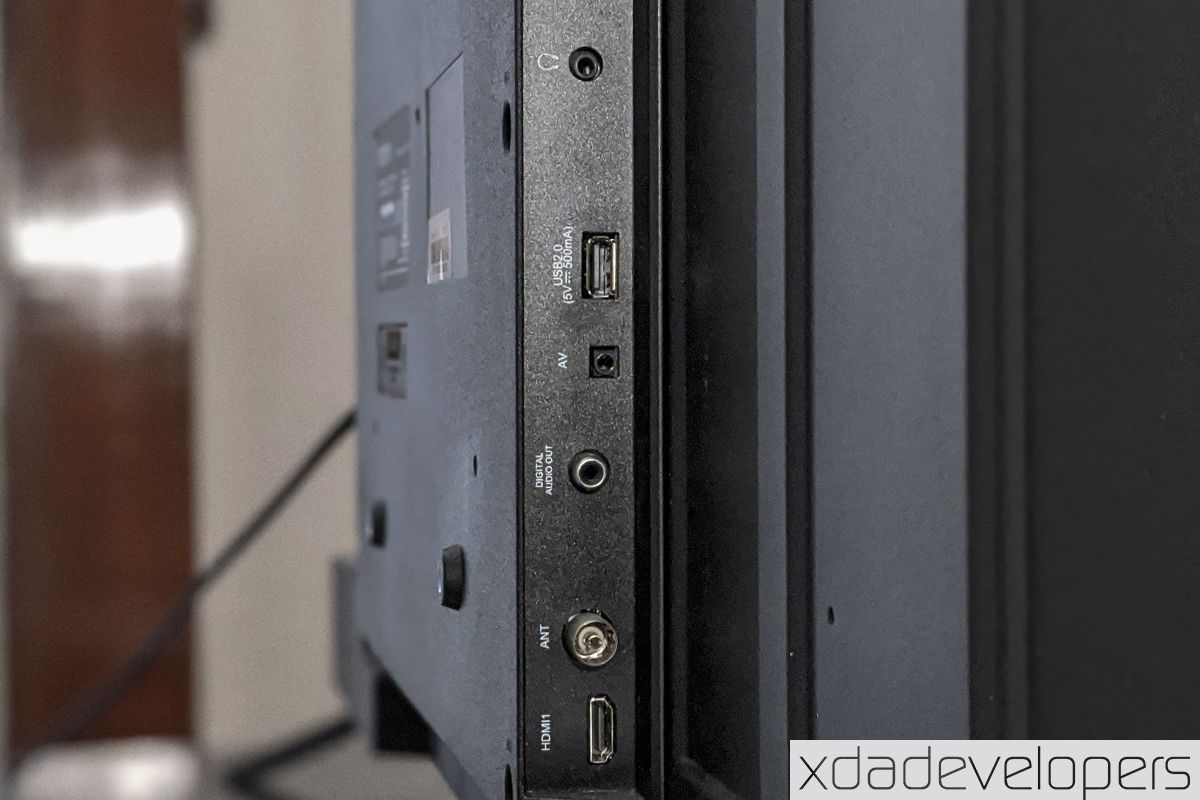
For connectivity, the Realme TV seems packed with options. On this, you get:

  • 3x HDMI ports out
    • Only the first one supports the HDMI ARC
    • CEC is supported on HDMI 1 and HDMI 3 only
  • two USB 2.0 ports
  • an SPDIF port for digital audio out
  • one Antenna port
  • one LAN port
  • a headphone jack

The ports are placed on the backplate and split into two groups instead of a single array. One HDMI port, the headphone jack, Digital Audio port, and the two USB ports point towards the left of the TV while the LAN port and two HDMI ports face the bottom. The ports are placed along the thickest part of the TV and may not be very accessible when the TV rests on a table with its back too close to the wall or when it is mounted on the wall. The power cable is not detachable, which means you cannot swap it out for a longer one.

For wireless connectivity, the Realme TV comes with single-band Wi-Fi and Bluetooth 5.0. The lack of dual-band Wi-Fi is unpleasant as the 2.4GHz has a significant speed drop with objects in between and struggles because of interference caused by 2.4GHz signals emitted by Bluetooth devices or appliances like microwaves. This can lead to a major reduction in the quality of the signal.

Many I/O options but all remain difficult to access.

As for Bluetooth, the TV resists while connecting to devices that are more than a meter away from it. However, once it is connected, the range is pretty good for you to wear wireless earphones and roam freely in a radius of about 10 meters (without any physical object in between).

The TV supports wireless casting via Chromecast, Miracast as well as wireless display support for Windows. You can also download an app called AirScreen and use it along with an iOS or macOS device via Apple’s AirPlay protocol.

AirScreen - AirPlay & Cast & Miracast (Free+, Google Play) →


Realme Android TV: Great display counter-acted by limiting internals

The Realme TV is furnished with a good and saturated LED-backlit display which is paired to a decent audio setup. But the mediocre hardware, especially the 1GB RAM, can avert a smooth experience. Realme has clearly cut corners in the internal hardware to ensure competitive pricing. While the software is stocked with useful features, there might be some optimization issues that we hope to see ironed out with future OTA updates. One such issue is the glitching while using Google’s Android TV remote control app.

If you need a great display performance and will be using the TV for watching OTT content or from an external set-top box, the Realme TV is a good option. I, however, hope Realme launches a 43″ inch model with 4K resolution – just as its primary competitor Xiaomi did last year. While the availability of a 4K model isn’t confirmed, Realme has promised they’ll launch a larger 55″ “flagship” smart Android TV soon.

realme tv review

The Realme TVs are currently available in India for a starting price of ₹12,999 (~$170) for the 32-inch HD model while the 43-inch Full HD model comes for ₹21,999 (~$290). These TVs are available via Realme’s official store and Flipkart via flash sales that happen every Tuesday.

Buy on Flipkart: Realme TV 32″ (₹12,999) ||| Realme TV 43″ (₹21,999)

The post Realme Android TV 43″ Review: Tough Competition for the Mi TV appeared first on xda-developers.


from xda-developers https://ift.tt/3hNTJED
via IFTTT